


Understanding how to create a fitness app gives you the key to unlock a billion-dollar market. Luckily, you can turn your app idea into reality with the right pointers.
This guide breaks down the steps to creating a powerful fitness app without having technical skills. It also explains how to launch effective workout apps to the right audience.
Every successful fitness app needs a strong online hub to attract users and build credibility. With the best website builders, you can easily design landing pages, promote your app, and grow your audience—no coding required. Explore our recommended website builders to launch your fitness brand with ease.
Build a Fitness Brand Website with the Best Website Builders
| Provider | User Rating | Recommended For | |
|---|---|---|---|
 | 4.6 | Beginners | Visit Hostinger |
 | 4.4 | Pricing | Visit IONOS |
 | 4.2 | Design | Visit Squarespace |
Why Create a Fitness App? Understanding the Market
The fitness industry is now making mobile apps an essential tool for many enthusiasts. By 2032, experts expect the fitness app market to hit $55.7 billion. These values show that business owners can access huge opportunities in the industry.
Due to the pandemic, people embraced the idea of working out from home. Many continued to use these apps for their ease of use even after gyms reopened.
In the U.S., the number of people using these fitness apps was project to reach 14.82% in 2024. This means over 90 million people are looking to get healthier through mobile apps.
Learning from Top Fitness Apps
Aspiring app creators can learn a thing or two from successful fitness apps. Let’s look at some leading fitness apps and what makes them successful.
- MyFitnessPal: is a leading nutrition app with over 200 million users across the globe. The app earned more than 12.4 million in January of 2024. Its success comes from detailed food databases and smooth tracking features.
- Peloton: used its community-driven method to change home fitness. With 5.9 million active users, the platform has an outstanding 95% retention rate. Its secret lies in using high-quality content and social engagement capabilities.
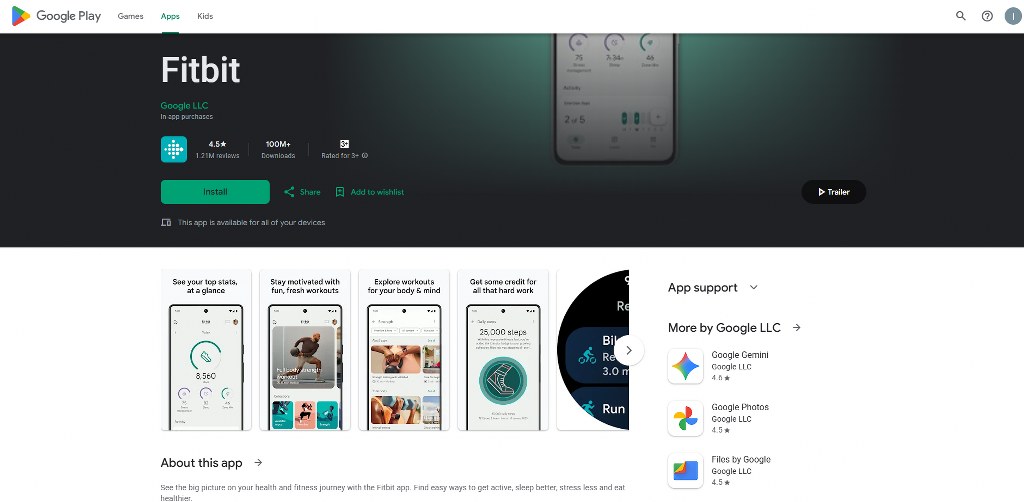
- Fitbit: created a complete wellness ecosystem. The platform had 111 million registered users before its acquisition. In 2021, it was able to generate $1.21 billion in revenue. The platform was successful because it integrated wearable devices with software.

All these apps focused on improving user engagement and providing real value. They also made money with subscription-based models.
Step 1: Define Your Fitness App Idea and Market Strategy
We’ve made you realize the huge opportunity in the fitness market. Now, let’s teach you how to create a fitness app that will access this opportunity.
Researching the Market to Find Your Niche
The first step in the fitness app development process is to conduct market research. Start your research by studying your competitors. Check their strengths and weaknesses. This would help you identify gaps in their offerings that you could fill.

Next, conduct surveys among your target users. Ask about the current challenges they have with fitness. Try to know their preferred workout styles and how much they are willing to pay. This approach increases your chances of building a useful fitness application.
Know whether you are targeting beginners, experienced athletes, or older adults. Identifying your specific audience will enable you to adjust your app features.
Identifying Your Unique Value Proposition (USP)
Your unique value proposition is the key factor that makes you stand out. That is why you should design something to make your app special. It could be a focus on specific fitness goals or special nutrition coaching. Your app could offer features to connect users with the same fitness journeys.
Another unique feature you can add is personalized nutrition plans. Combining dietary and exercise guidance can attract users looking for complete wellness solutions.
4 Main Types of Fitness Apps to Consider
Various fitness apps work for specific user needs and technical skills.
1. Activity Tracking Apps
Activity tracking apps work for monitoring the physical movements of their users. These apps track steps, pace, and distance covered every day. They also track the amount of calories burned during various daily activities.
Most of these apps work with smartphone sensors or wearable devices like the Apple Watch. This enables them to easily collect data automatically.
Activity monitoring fitness applications like Strava enable users to connect. Users can also join fitness challenges and celebrate milestones together. Also, these apps have GPS trackers to map out routes for runners and cyclists.

2. Diet and Nutrition Apps
Nutrition apps are perfect for tracking meals and caloric intake for users. These apps also generate suitable meal plans for each person. These features are crucial for people building muscle or addressing their eating habits.
Advanced nutrition apps have recipe recommendations and barcode scanning features. They allow users to scan product barcodes to log foods quickly. This action makes tracking easier and more accurate.
Top apps in this category are MyFitnessPal and Lose It! Both apps provide detailed food databases and user-friendly interfaces.

3. Workout and Exercise Apps
Workout apps are like digital personal trainers. They guide users through exercises and professional training plans. These apps allow users to adjust based on fitness level, equipment, and schedule.
Many of these apps now recommend fitness programs using artificial intelligence. This technology checks how the user performs and their goals to suggest. Apps like Sworkit offer video tutorials and progress tracking for this.

4. Lifestyle and Wellness Apps
Wellness apps offer meditation, yoga, sleep tracking, and stress management. This fitness category is different due to its mental wellness features.
Wellness app solutions enable users to build a habit. They do this by tracking daily water intake, sleep quality, and mood patterns. This way, the apps can provide detailed wellness insights. Calm is a leading wellness app due to its combination of many health dimensions.

Choosing a Monetization Model for Your App
Various kinds of apps and user actions demand specific monetization models. Fitness apps are particularly suitable for subscription models. This is a model where users pay either monthly or annually to access premium features.
Subscription models start with apps offering free trials. They allow users to experience features before paying to keep enjoying them. This approach shows the value of the app and allows easy access.
You can also include in-app purchases to provide basic features for free. You can charge fees for special workout programs or advanced tracking features.
Integrating adverts can also help you make money from free users. However, you must balance this with relevant ads. Showing too many unnecessary adverts can affect user experience.
Extra sources of income include partnerships and sponsorships. This involves working with fitness brands, influencers, or equipment manufacturers.
This collaboration will enable you to promote relevant products to their user base. Many successful apps combine different models to increase their profit potential.

Step 2: Designing Your Custom App Features and User Experience
The next step is to design vital features for a custom fitness app.
The Importance of Intuitive UI/UX Design
Your app’s user interface and user experience design affect its success. User Interface (UI) covers all the visual elements in your app. This includes its colors, fonts, buttons, and layout. A poor UI makes it difficult to navigate and complete tasks.
User Experience (UX) means how your users feel while using your app. It includes the app’s load times, navigation flow, and ease of completing goals. You can only create more engaging apps by understanding UX design principles.
Good UX enables you to get more users. Satisfied users will naturally recommend your app and leave positive reviews. Poor UX will only make them go to competitors. A fitness app design links to color psychology. It is crucial to choose colors that suit your app’s personality and user goals.
Also, make your app feel refined and professional with smooth animations. But avoid slowing down its performance or distracting users with too many animations. Most importantly, use a clean and organized layout to help users focus on important tasks.

Namecheap
Core App Features for Every Fitness App
Let’s explore the core features every wellness app should have.
User Profile and Onboarding
Allow people to sign up through email addresses or social media accounts for comfort. Collect vital health information and fitness goals during onboarding. This data enables you to create special workout plans and suggestions.
Add dashboards to enable users to track their workout progress and achievements. Progress indicators will motivate them to keep working hard.
Provide photo uploads and preference choosing for users to customize their profiles. Such options make them feel that they are the ones in control of their customer experience. You can add one feature at a time so as not to confuse users.
Workout and Nutrition Planning
Give exercise plans according to the objectives and fitness of the users. Add pre-recorded videos and tutorials of exercises to guide users. These video tutorials should include many camera angles and options for different skill levels.
Create exercise libraries that people can search for suitable workouts. You should organize them by equipment types and difficulty levels. Add a barcode scanning feature to help users enter packaged foods faster.
Also, include meal planning tools that suggest recipes for users. These should be according to their preferences, available ingredients, and nutrition goals. Create automatic shopping lists from planned meals for more comfort.
Progress Tracking and Analytics

Provide adequate data to help users track different metrics. This includes the calories burned, rate of completing the workout, and strength improvements. Show their progress through charts, graphs, and achievement badges. These visual elements make it easier to understand the data.
Suggest workout and nutritional changes based on the data collected. Include features for them to compare their progress within a specific period. Try combining these features with wearable devices to ease data collection.
Gamification and Social Features

Gamification makes everyday tasks feel rewarding. Add game-like features like badges, points, and levels to motivate users. Create leaderboards for them to compare their progress with others.
Also, enable community features for users to share progress updates. This feature will enable them to join group challenges and message each other.
Design challenges to motivate them to achieve individual and group goals. This includes workout streak competitions and transformation contests. Include features for social sharing for users to celebrate their achievements on social media platforms. This action will promote your app and reward existing users.
Push Notifications and Reminders
Sending push notifications can bring back users who might have forgotten their fitness goals. Remind them of scheduled workouts and meal logging. Also, send motivational messages to inspire them.
Most users have preferences for receiving notifications. You should allow people to adjust their notification types, timing, and frequency. Adjust the content of this notification based on user behavior and preferences.
Alert them of their achievements to celebrate milestones and completed goals. This message will motivate them to keep using the app. Most importantly, avoid sending too many or too few messages to retain your audience.
5 Advanced App Features to Make Your App Stand Out
Your app must have some unique features to stand out.
1. Wearable Device Integration
Your fitness app should easily connect with popular wearables for automatic data syncing. This includes options like Apple Watch and Garmin devices. The app should integrate with health platforms like Apple Health and Google Fit. This will enable it to access data from many sources to create unified dashboards.

These devices should track the user’s heart rate and provide instant intensity feedback. Integrating sleep tracking features also helps users understand recovery patterns. This feature provides insight into the effect of sleep patterns on fitness.
2. Geolocation for Activity Tracking Apps
GPS features are vital for running and cycling apps. This feature maps routes and tracks pace, elevation, and distance. Your app should display interactive maps with overlays. These overlays should show speed zones, achievement locations, and compare routes.
Think about safety to build trust and encourage outdoors routines. Add safety features for users exercising alone in secluded areas. These features include emergency contacts and location sharing. Also, create features that suggest popular paths that users can take.
3. Live Streaming and Virtual Coaching
Offer live streaming sessions to make users feel like they are in a studio. Connect with your community using interactive features like chat. Provide virtual coaching sessions for users to meet certified personal trainers. A personal training app costs more, but delivers personalized value.
In addition, offer on-demand libraries for users with tight schedules. This would enable them to get value even after live classes. Successful apps like Peloton offered high-quality content alongside community engagement.

4. Educational Content
Develop complete content libraries containing articles, videos, and audio guides. This content should cover exercise techniques and wellness topics. Create short educational content that relates to the results and goals of the user. You can also feature expert interviews, research summaries, and trending health topics.
5. AI-Based Personalization
Use artificial intelligence algorithms to analyze the patterns in user behavior. This analysis will enable you to provide more accurate workout suggestions. Create an AI-powered form correction technology.
This new technology will make suggestions based on user patterns and goals. Use machine learning to predict a user’s probability of abandoning fitness routines. Send motivational messages or adjust their programs before this happens.
Step 3: The Fitness App Development Process (A Non-Technical Look)
Once you have planned your features, move to the development process.
Understanding No-Code vs. Custom App Development
You can bring your fitness app idea to life using either no-code or custom development. You can choose a suitable approach by understanding low-code and no-code tools.
No-code platforms enable you to build apps using simple drag-and-drop interfaces. You don’t need to know how to program in this approach. No-code solutions can handle complex functionality like user verification and payment processing.
Meanwhile, custom development is the process of hiring experienced developers. These developers build applications from scratch. This approach gives you maximum control of the process. However, it requires more time and money.
Custom development becomes necessary for apps that require unique features. These are features that no-code platforms can’t support. It is best to combine both approaches to balance speed, cost, and feature requirements.
The No-Code Advantage: How to Create a Fitness App Fast
You can launch an effective fitness app within days with no-code platforms like Exercise. This speed enables you to conduct rapid market testing and collect user feedback.

Find no-code builders with many customization options and user-friendly interfaces. A powerful option with simple design tools and an integrated database is Adalo. Its visual interface makes it easier for regular business owners to access complex features.
In addition, most no-code platforms offer hosting, security, and maintenance. This approach reduces the need for technical activities for app creators. However, you may need custom development as your app’s database grows.
The Custom Development Path: Hiring a Team
Having in-house development teams gives you maximum control. However, you must be willing to spend a lot of money to use this approach. It will also require continuous management from you.
You can reduce the development cost by hiring freelancers with specialized skills. Platforms like Fiverr and Upwork allow you to meet development experts around the world.
You must view the portfolio of the developer before hiring them. Also, request previous clients to provide referrals to weigh their skills and reliability. You should try working with agencies that focus on fitness or health applications. This experience makes development faster and helps avoid costly mistakes.
Let your team know the project requirements and duration before starting. Also, set up clear communication systems to avoid misunderstandings.

Estimating Your Fitness App Development Cost and Timeline
The cost of developing an app varies based on its complexity, features, and development method. You can only plan your budget by considering these factors.
You can launch basic fitness apps using no-code platforms within 30 days for little upfront costs. However, it costs about $25,000 for basic MVPs. Custom apps will cost over $500,000.
The location of your developers will also affect the cost of development. Skilled developers in North America and Europe often charge premium rates. In contrast, developers in other regions offer lower pricing.
Also, think about ongoing costs when creating your budget. This includes recurring expenses like hosting, maintenance, and feature updates.
This table breaks down the cost of expert development teams working at market rates.
| Development Scope | Estimated Cost (Custom) | Estimated Time (Custom) |
| MVP (Minimum Viable Product) | $8,000 – $30,000 | 200 – 250 hours |
| Standard App | $18,000 – $35,000 | 300 – 450 hours |
| Complex, Full-Featured App | $45,000 – $160,000+ | 500 – 1800+ hours |
Step 4: Building Your Minimum Viable Product (MVP)
A crucial step in learning how to create a fitness app is building your MVP. Let’s break this down.
What is an MVP in App Development?

An MVP is a simplified version of the fitness app you are creating. This version only contains the vital features for solving core user problems. This will enable you to be able to test your idea on real users within a short period of time.
The good thing is that you do this without having to spend much. Nevertheless, you must focus on solving one main problem at a time.
The feedback you gather from testing your MVP guides the decisions you make. This way, you can prevent costly mistakes. MVPs allow you to confirm your app is in demand. Then, you can spend more to include advanced features that users want.

Selecting Core Features for Your MVP
Your MVP should include features that address your users’ most pressing challenges. You can always add other features based on user feedback and demand.
Vital MVP features include user registration and basic profile creation. These features solve the need for users to identify themselves and save their progress.

In addition, add one main feature that delivers the core value of the app. It could be exercise video playback or meal logging. Another vital feature to add is progress tracking. This feature will show users how well they are doing over time.
Also, add push notifications to remind users of their workouts and send motivational messages. Such attributes will make users revisit and adopt a habit.
Gathering User Feedback to Guide Iteration
Select some of your target users and release your MVP to them. Create a structure to collect their feedback through surveys and app analytics. Ask specific questions about which feature they desire and their pain points.
Use analytics tools to track the patterns in user behavior. Check how long they spend in different app sections and the most features used. Also, analyze where users leave to know what they prefer.
Record the feedback collected and share your observations with your team. Use the insight gained to create features that respond to user complaints and requests.
Step 5: Testing, Refining, and Ensuring Quality
Your app must be of the best quality to launch it to your intended audience.
The Critical Role of Quality Assurance (QA)
Quality assurance testing is very important in detecting and correcting bugs. This process helps in detecting the performance and design flaws within the app. The purpose is to address these issues before users encounter them.
Poor QA testing can result in app crashes and lost user data. These problems harm your app’s reputation. You may need to spend a lot to control the damage.
Let QA engineers test your app after every change you implement. This session will cover functionality testing, performance improvement, and security verification. Above all, ensure you test your application in varying network conditions and devices.
Combining Manual and Automated Testing

User Acceptance Testing (UAT) is a process of allowing your target users to review your app. This manual testing enables them to test the app’s overall experience before launch. This approach enables you to catch hidden problems that tools might miss.
You can combine UAT with automated tools testing for complete quality assurance. These software tools can quickly handle frequent technical checks. Meanwhile, manual testing will check the user experience.
Document any issue you discover based on their priority levels. This documentation will help developers understand and fix the right problems.
Don’t Forget App Security
Most fitness apps need basic security measures to handle users’ personal information. Use HTTPS encryption for transmitting data between your app and servers. This prevents hackers from intercepting user information during network communication.
Also, add social login options and biometric authentication to your app. It could be Face ID or Touch ID to reduce password-related problems. Always make sure user sessions expire after being inactive for some time. This aspect will secure their information in case they lose their devices.
Carry out frequent security audits to determine possible risks. You can hire security specialists for full assessments. These professionals will follow the principles of website security to assist your app development.
Step 6: Launching, Marketing, and Growing Your Fitness App
The final step in creating your own app is to release and promote it.
Navigating the App Stores

Mobile app stores are the easiest place to reach your target audience. However, listing mobile apps on them will require a structured approach.
Apple App Store requires you to get a developer account for $99 yearly. Apple then evaluates the app against strict quality and content guidelines. This evaluation can take days or weeks.
Google Play Store requires you to pay a one-time $25 developer account fee. They have a shorter review process than Apple. Google often completes it within hours or days.
Whichever store you choose, create attractive listings with high-quality images. These images should display your app’s best features. Remember that your app icon and first screenshot will determine if people will download it.
Write clear descriptions explaining how your app solves the user’s problems. Include relevant keywords to make it easier to find the app. Also, always monitor user reviews on your app and respond to feedback early.
Positive feedback and community engagement will improve your ranking on the app store.
It is best to always prepare for possible app store rejections. Stores may reject mobile fitness apps due to technical issues or violations. Make plans to correct these issues.
Building Your App’s Online Presence with a Website
A professional website is the digital center of your app and the main marketing tool. This site provides details you can’t include in store listings. Besides, it enables you to sell subscriptions directly. These sales help you to avoid the 30% commission charged by app stores.
Luckily, it is now easier to create a website with user-friendly builders and hosting platforms. Hostinger and IONOS provide simple drag-and-drop tools and templates. These tools are perfect for beginners without coding knowledge. The templates work specifically for promoting apps.
You can also try e-commerce platforms or WordPress for more advanced needs. Combine these tools with the best web hosting service for more effectiveness. However, this option will require a little technical setup.

After creating a website, add download links, demos, and pricing for your app. Also, add customer support contact information for users to reach you easily.
Crafting a Powerful App Marketing Strategy
App Store Optimization (ASO) makes it easier to find your app in search results. This means including relevant keywords in your app title and metadata.

Use social media marketing to inform people and build a loyal community. You can even show your content and user transformation on Instagram and YouTube. Also, partner with fitness influencers with an audience that matches your target to extend your reach.
Email advertising is also essential to attract the already existing and potential users. Build an email list to enable constant communication with interested users.
Use tools like Kit (formerly ConvertKit) to manage and automate your email campaign. Send regular newsletters, exercise tips, and success stories to keep in touch.
Use blogs, videos, and social platforms for content marketing. Provision of helpful materials will bring organic traffic and create trust.

Post-Launch: Maintenance and Continuous Optimization
Managing your app after launch is another task. You need to put effort into creating value to keep making money from apps.
This means tracking its performance through analytics tools like Google Analytics. Track user reviews on every channel. Negative reviews show you ways to improve your app. Positive feedback reveals its strongest elements. Continue updating the app to address problems and enhance its functionality.
Also, you are to measure your user acquisition cost and lifetime value. Know your retention rates and monthly active users to make the right improvements.
Most importantly, follow up on trends within the fitness industry and the latest technologies. This would provide information for you to meet changing user needs and market conditions.
Conclusion
Now that you have learnt how to create a fitness app, it’s time to put it into practice. Nevertheless, you should make your plan and select the right tools based on your skills. You should also be willing to commit long-term to the app. This way, you can keep making money in the fitness industry.

Next Steps: What Now?
Follow these practical steps to create a fitness app:
- Research your competitors and target users.
- Define the goals of your app.
- Identify the unique value you are offering.
- Define the core and advanced features of your app.
- Select the best approach for developing your app.
- Organize your development team.
- Create a budget for the development process.
- Test your app with selected audiences.
- Adjust its features based on feedback collected.
- Launch the app on various stores.
- Promote the app using various channels.
- Track vital performance metrics.
- Continue updating with new trends and technology.
Further Reading & Useful Resources
Here are more resources for you:
- Influencer Marketing: Understand how influencers can benefit your fitness brand.
- Fitness Blogs for Beginners: Learn how to start a successful fitness blog.
- Brand Reputation Management: Understand how to manage your fitness brand’s reputation for long-term success.
- Creating a Subscription Website: Learn how to create a website for paying customers.
- YouTube SEO: Get your fitness videos to the top of search results.


