


When I first looked at jclinic- Jerusalem Aesthetic Clinic, it wasn’t exactly a site you’d trust with your face.
It was built on Wix by the office manager at the clinic – functional, but visually dated, inconsistent, and not aligned with what a modern aesthetic clinic should project. In a space where trust and appearance are everything, the website simply didn’t match the level of care the clinic actually provides.
So instead of going down the usual route — hiring a designer, briefing a developer, waiting weeks or even just rebuilding it with Wix – we did something different.
We rebuilt it with AI.
Step 1: Let AI Design the Website
We started with Visual Studio Code and its built-in AI assistant, GitHub Copilot.
Instead of writing code manually, we gave it context:
- What the clinic does
- The type of treatments offered
- The target audience
- And examples of high-quality US-based clinic websites
That last part mattered. US clinics tend to have cleaner, more conversion-focused designs while the Israeli one which are mostly broken – most of these clinics does not even have a website, so we used the US ones as inspiration inputs.
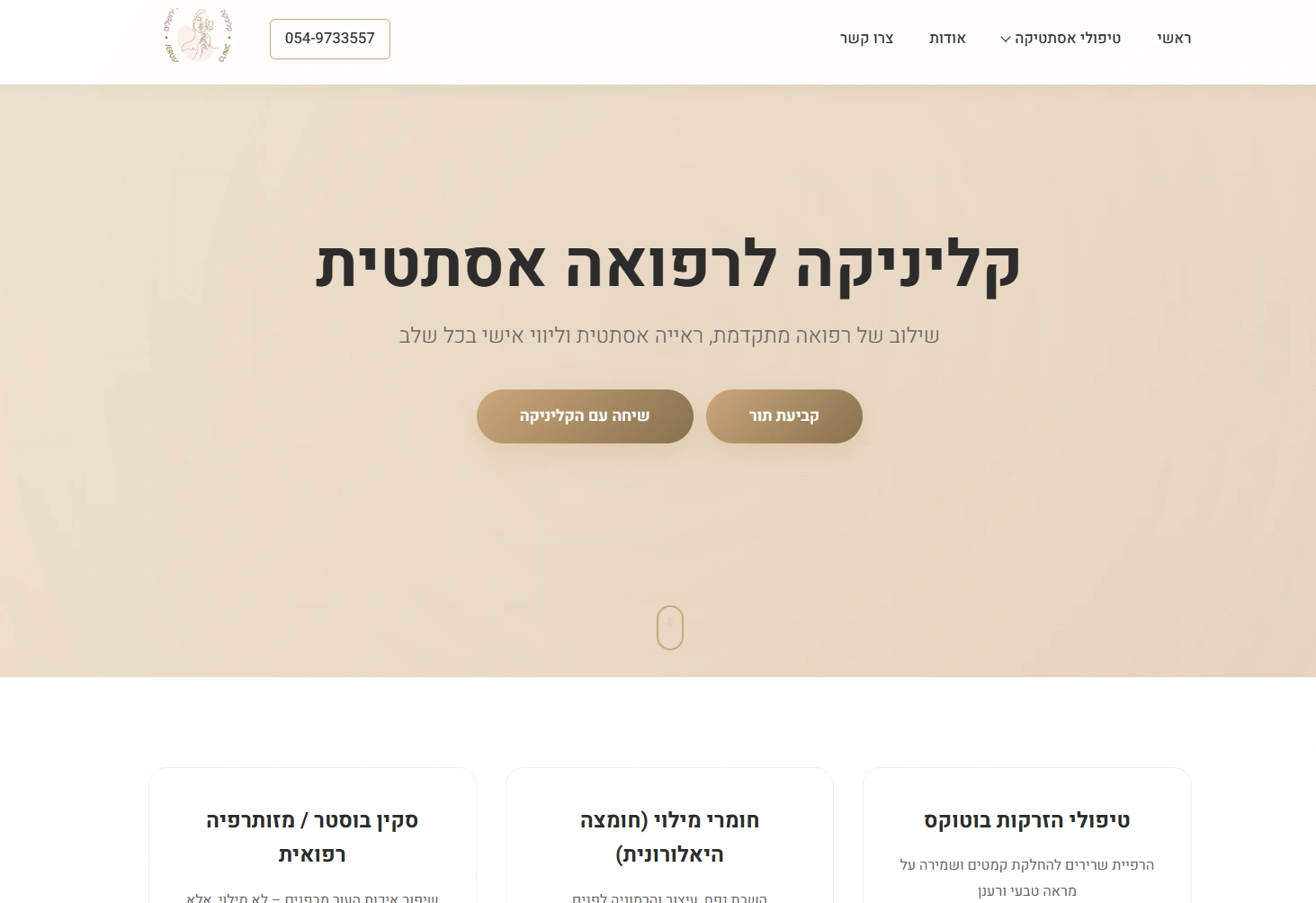
Within minutes, Copilot generated a full front-page layout:
- Hero section
- Services overview
- Trust elements
- CTA sections
- Clean structure and spacing
No Figma. No mockups. Just prompt → output.
Step 2: Move It Into WordPress
Once we had a design we liked, we transferred it into WordPress.
We didn’t use a heavy theme or page builder. The goal was:
- Lightweight
- Fast
- Fully controllable
The AI-generated structure became the actual front page.
Step 3: Make It Scalable With ACF
Next, we added Advanced Custom Fields (ACF).
This allowed us to:
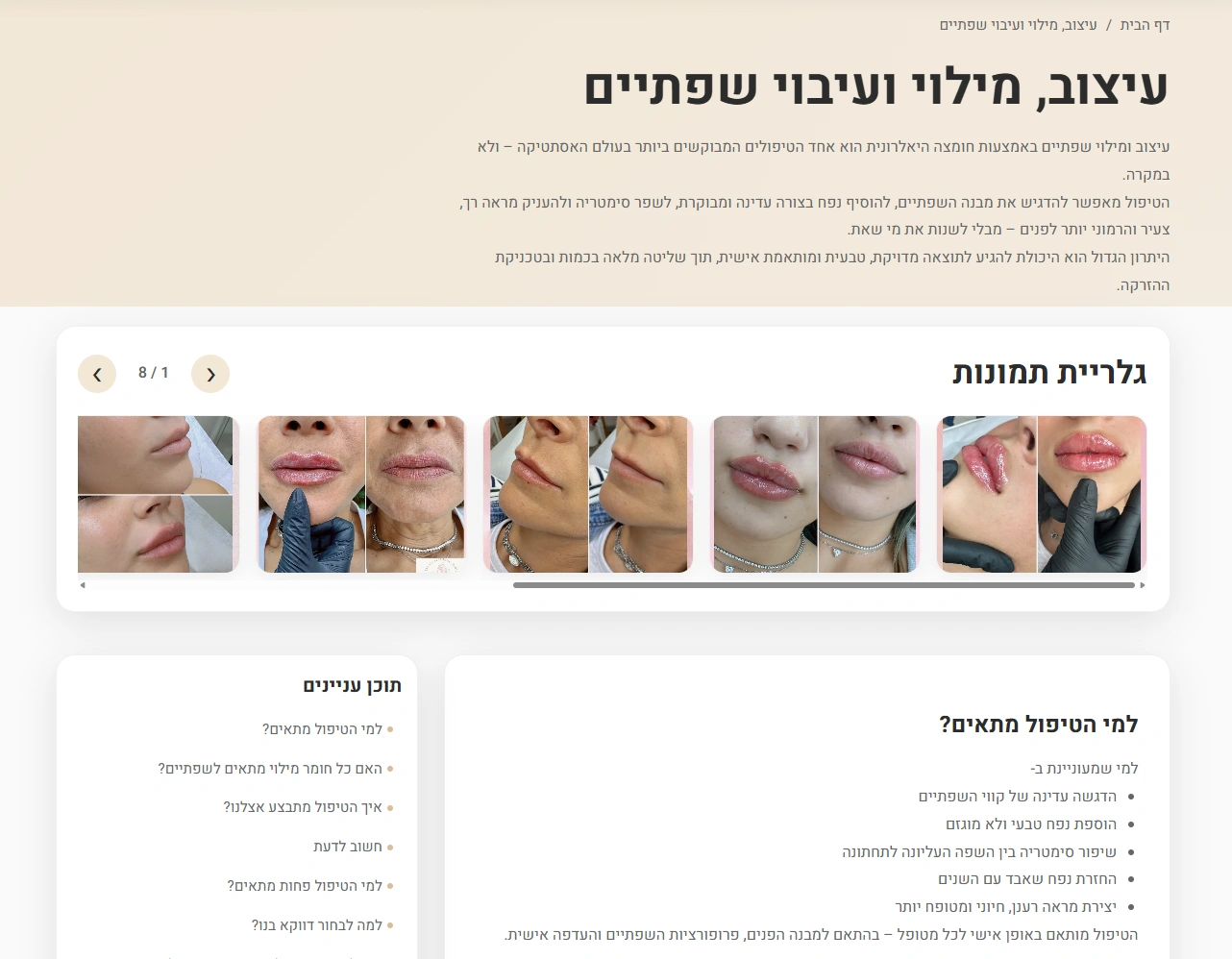
- Create structured service pages
- Add image galleries per treatment
- Keep everything editable without breaking layout
Each treatment (Botox, hyaluronic acid, dental hygiene, etc.) now has:
- A clean layout
- A dedicated gallery
- Consistent formatting
No manual page duplication. No messy backend.
Step 4: SEO Foundations (Simple but Effective)
We didn’t overcomplicate SEO — just focused on the essentials:
- Table of contents for longer pages
- Proper heading structure
- Local schema (medical business)
- Clear service intent per page
This helps both Google and users understand exactly what each page is about.
Step 5: No Designer — Just Iteration With AI
One of the more interesting parts of this project:
We never used a designer.
Whenever something felt off, we simply:
- Adjusted prompts
- Tweaked sections with AI
- Iterated quickly
This made the process extremely fast and flexible. Instead of waiting days for revisions, changes happened in minutes.
Step 6: Hosting — Simple and Cheap
The site is hosted on Webdock.
Why?
- Very cost-effective
- Quick setup
- More than enough for a non-ecommerce site
This isn’t a complex platform — it’s a presentation site:
- Service pages
- Galleries
- Informational content
So there was no need to over-engineer the infrastructure.
About the Clinic
The clinic is owned by Bar Rachel Shachar, active in the field since 2016 and running her own clinic since 2019.
What stands out is that she personally tests the treatments offered — which adds a layer of authenticity most clinics don’t have.
Services include:
- Botox treatments
- Hyaluronic acid
- Orthodontics
- Dental hygiene
- Lip fillers
- Face and nose sculpting
All treatments are performed by qualified doctors, with dental procedures handled by certified hygienists.
The clinic recently moved to a new location:
Patriya 32, Jerusalem
The Bottom Line
This project challenges the traditional way websites are built.
Instead of:
- Weeks of design
- Back-and-forth revisions
- Expensive resources
We got:
- A clean, modern website
- Fully functional and scalable
- Built in about 30 minutes
Using AI as the core engine.
No designer. No delays. No unnecessary complexity.
For small-to-medium businesses — especially service-based ones — this approach isn’t just faster.
It’s becoming the new default.


