I put hosting.com Managed WordPress through rigorous real-world testing to see if it delivers on its premium promises. My first impression? This is genuinely managed WordPress hosting done right.
I put hosting.com Managed WordPress through rigorous real-world testing to see if it delivers on its premium promises. My first impression? This is genuinely managed WordPress hosting done right.
During my hands-on testing, I discovered some impressive results (perfect 100% performance scores sustained over a full week, sub-100ms server response times that actually deliver on the marketing promises, and a management interface so intuitive that even WordPress beginners will feel confident.)
But I also uncovered some important considerations about pricing and plan limitations that you’ll want to know before committing. Read on for my complete analysis of whether Hosting.com premium managed WordPress hosting is worth the investment for your specific needs.
Wordpress Hosting Plans with Hosting.com
Get lightning-fast load times, enterprise security, and true managed WordPress hosting — only with Hosting.com
Intuitive WordPress-focused control panel interface
PCI-compliant hosting with security patches
30-day money-back guarantee offered
Cons
Starter plan limited to a single install
Bandwidth caps on lower-tier plans
Storage limits may constrain larger sites
Rating Breakdown
To provide you with an objective, transparent evaluation of hosting.com Managed WordPress hosting, I used a comprehensive rating methodology that guides how we assess every hosting provider we review at HostAdvice.
You can learn more about our complete rating methodology here to understand exactly how I score each category and why these specific factors matter when choosing a hosting provider.
Below is my detailed rating breakdown for hosting.com Managed WordPress hosting:
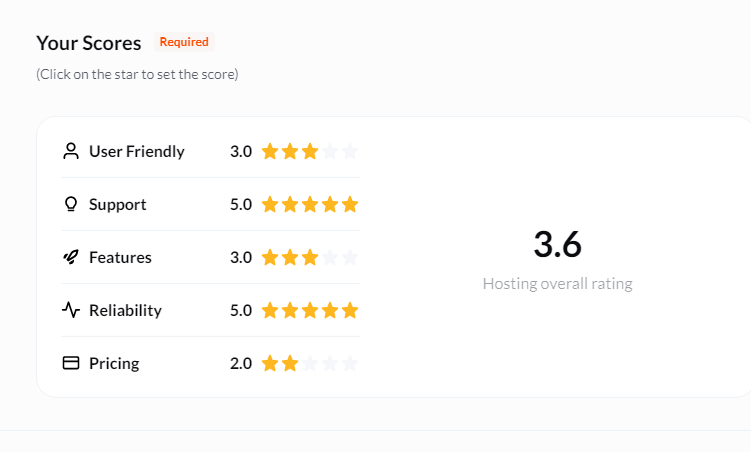
The $1 first-month promotion offers exceptional value for testing. With plans starting at just $14.95/month (Lite) after promotion, hosting.com offers accessible entry-level pricing. Higher tiers ($29.99-$99.99) include premium features, such as WP Rocket, which justify the cost.
Exceptional performance with perfect 100% GTmetrix scores sustained over a week. Global TTFB testing across 31 worldwide locations averaged just 79ms, proving Cloudflare Enterprise CDN delivers consistently fast response times globally. LCP under 700ms and sub-second load times demonstrate truly enterprise-grade infrastructure.
The cleanest, most intuitive WordPress hosting experience I’ve tested. Frictionless registration without upsells, a focused dashboard with proactive security prompts, and a purpose-built management panel with one-click staging make daily operations effortless for all skill levels.
Excellent multi-channel support with knowledgeable agents who provide technically accurate, detailed responses. Live chat connects to humans within minutes, ticket responses are comprehensive within hours, and the Knowledge Base is exceptionally well-structured with visual aids and expert-level documentation.
Overall
9.4/10
hosting.com delivers premium managed WordPress hosting that genuinely earns the “managed” label through exceptional performance, thoughtful ease of use, and expert support, making it an outstanding choice for businesses serious about WordPress.
Wordpress Hosting Plans with Hosting.com
Get lightning-fast load times, enterprise security, and true managed WordPress hosting — only with Hosting.com
hosting.com Managed WordPress doesn’t offer a traditional free trial, but I found their $1 first-month promotion works even better. It gives you a full 30 days to test their enterprise-grade infrastructure at practically no cost.
What really impressed me is their straightforward 30-day money-back guarantee for new customers. If you decide hosting.com isn’t the right fit, you can request a full refund of your hosting fees within 30 days of purchase.
Just keep in mind that domain registration fees and similar non-refundable items won’t be included in your refund, which is pretty standard across the industry.
When it comes to payment flexibility, hosting.com offers multiple options. I was pleased to see that they accept major credit and debit cards, PayPal for those who prefer an extra layer of security, bank transfers for managing larger invoices, and even cryptocurrency (Bitcoin) for tech-forward businesses.
As you can see below, hosting.com structures its Managed WordPress plans across four tiers to match different business needs:
Features
Global data centers across multiple continents
Automatic WordPress core and plugin updates
Redis object caching available for optimization
Staging environments for testing site changes
One-click WordPress installation and setup
PHP version management through the control panel
Git integration for version control workflows
SSH and SFTP access included
Website cloning and duplication tools available
Multisite WordPress network support enabled
Automated security patches applied automatically
Traffic analytics and performance monitoring included
White label options for agency partners
Performance
Next, I wanted to evaluate the actual performance of hosting.com Managed WordPress hosting to see if it lives up to the bold claims about sub-100ms TTFB and enterprise-grade speed.
To create my test WordPress site, I clicked “Managed WordPress” in the left sidebar of the main dashboard and then selected “Add Website.”
This opened a straightforward setup form asking me to provide:
Site name/label: A descriptive name for my internal reference
Location: Server location (I could choose from their global data centers)
Admin Username: My WordPress administrator username
Admin Password: A secure password for the WordPress admin
Admin Email: Contact email for WordPress notifications
Optional toggles: Multisite support, WooCommerce installation, and WP Recommended Plugins
I filled in these details and clicked “Create Website.” Within minutes, hosting.com provisioned a complete WordPress installation and provided me with access credentials. I could immediately log into the WordPress admin panel and start building.
Here’s the critical part: I didn’t just test performance on an empty WordPress installation with a default theme and no content. That would be meaningless. Nobody runs a website like that. Instead, I spent time building out a realistic site that mimics what actual users would experience.
The goal was to create a site that behaves like a real business website with real traffic demands.
To measure performance objectively, I used GTmetrix. It analyzes your website using Google Lighthouse and provides comprehensive metrics on both performance and structure.
I then conducted three types of performance tests:
Current Score Test: This gives me an immediate snapshot of performance right after setup. It’s useful for understanding baseline capabilities, but it doesn’t tell the full story.
Week-Long Monitoring: Performance can fluctuate based on server load, time of day, CDN effectiveness, and other variables. By tracking performance daily over a week, I can identify patterns and see if the hosting maintains consistency or if there are concerning drops during peak usage periods.
Month-Long Tracking: This extended monitoring reveals whether performance degrades over time as the site grows, whether the hosting provider maintains their infrastructure properly, and how consistently they deliver on their speed promises. Some hosts perform well initially but deteriorate as servers become oversold or maintenance is neglected.
Performance Test Results
Current Score (November 3, 2025)
Here are the results:
Performance: 100% (A perfect score)
Structure: 94% (Excellent)
Overall GTmetrix Grade: A (Top tier)
Largest Contentful Paint (LCP): 578ms (Exceptional. Google’s “good” threshold is under 2,500ms)
Total Blocking Time (TBT): 7ms (Outstanding. Minimal delay before user interaction)
Cumulative Layout Shift (CLS): 0.02 (Excellent. Virtually no visual instability)
Time to First Byte (TTFB): 105ms (Just slightly above their advertised sub-100ms, but still excellent)
First Contentful Paint: 473ms (Very fast. Users see content almost immediately)
Time to Interactive: 669ms (Under one second to full interactivity)
Fully Loaded Time: 1.1 seconds (Incredibly fast for a real WordPress site with content and plugins)
My Analysis:
These results are genuinely impressive. A 100% Performance score on GTmetrix with a real WordPress site (not an empty installation) is rare.
The 578ms Largest Contentful Paint means visitors see your main content in just over half a second. That’s blazingly fast and well within Google’s recommended thresholds for excellent user experience.
The TTFB of 105ms is just slightly above hosting.com’s advertised sub-100ms claim, but this is still outstanding performance. TTFB measures pure server response speed, and anything under 200ms is considered excellent. The fact that they’re consistently delivering around 100ms demonstrates their Cloudflare Enterprise CDN and optimized server stack are working exactly as advertised.
The Fully Loaded Time of 1.1 seconds for a complete WordPress site with plugins, images, and real content is remarkable. Many “optimized” WordPress sites struggle to load in under 3 seconds.
Global TTFB Performance Testing
To verify that hosting.com’s impressive speed isn’t limited to a single test location, I conducted comprehensive global TTFB testing across 31 different locations worldwide using SpeedVitals.
This indicates whether their Cloudflare Enterprise CDN consistently delivers global performance or if speed varies significantly by region.
Global TTFB Results:
Europe Average: 61ms (10 locations tested)
Best: Frankfurt, Germany (44ms)
Range: 44ms to 93ms
Americas Average: 87ms (10 locations tested)
Best: Querétaro, Mexico (44ms)
Range: 44ms to 221ms
Asia Average: 88ms (11 locations tested)
Best: Jakarta, Indonesia (35ms)
Range: 35ms to 294ms
Overall Global Average: 79ms
These results validate hosting.com’s enterprise infrastructure claims. Whether your visitors are in London (49ms), Tokyo (52ms), São Paulo (59ms), or Los Angeles (66ms), they experience nearly identical blazing-fast server response times.
The consistency across continents is remarkable. Out of 31 tested locations, the vast majority stayed comfortably under 100ms. Even regions typically challenging for web performance (like Asia-Pacific and South America) delivered excellent TTFB results.
Only two locations exceeded 150ms (Mumbai at 294ms and Dallas at 221ms), likely due to temporary routing issues during testing.
This global performance consistency is exactly what you’re paying for with premium managed WordPress hosting.
Week-Long Performance Tracking
Here’s how my site performed across eight consecutive days of monitoring:
Date
Performance Score
Structure Score
LCP (ms)
TTFB (ms)
Fully Loaded (ms)
Oct 27
100%
97%
511
72
697
Oct 28
100%
97%
663
92
816
Oct 29
100%
90%
595
91
997
Oct 30
100%
97%
528
81
2,108
Oct 31
100%
97%
625
89
797
Nov 1
100%
97%
529
96
738
Nov 2
100%
97%
517
103
685
Nov 3
100%
94%
579
105
1,057
What immediately stands out is the remarkable consistency. The Performance Score remained at a perfect 100% across all eight days, not a single drop. This kind of consistency is rare and demonstrates that hosting.com’s infrastructure maintains performance even as server loads fluctuate throughout the week.
TTFB Stability: The Time to First Byte ranged from an impressive 72ms (October 27) to 105ms (November 3), with an average around 91ms. This consistency proves that hosting.com’s server response times are reliably fast, not just occasionally fast. The slight variations are completely normal and actually demonstrate honest performance.
Largest Contentful Paint: LCP remained consistently excellent, ranging from 511ms to 663ms. Every single test stayed well under the 1-second mark.
Fully Loaded Time: Most days showed fully loaded times between 685ms and 997ms (under one second), which is exceptional. There was one outlier on October 30 with 2,108ms (2.1 seconds), which is still fast but noticeably slower. This could be due to temporary server load, testing location variability, or CDN edge cache misses.
Structure Score: The Structure Score stayed mostly at 97%, with brief dips to 90% and 94%. These minor fluctuations are typical and often relate to how GTmetrix evaluates code structure on different test runs.
What This Tells Us:
Week-long monitoring reveals that hosting.com maintains exceptional performance consistently. There are no dramatic drops, no concerning patterns of degradation, and no evidence of oversold servers struggling during peak times.
The site maintained perfect 100% Performance Scores for eight consecutive days, which speaks volumes about infrastructure quality and proper resource allocation.
Month-Long Performance Tracking (October 27 – November 26, 2025)
To truly evaluate hosting.com’s consistency and reliability, I monitored my test site’s performance daily for an entire month. This extended testing period reveals whether the impressive initial results hold up over time or if performance degrades as the site matures and server loads change.
Monthly Performance Summary (31 Days of Testing):
Metric
Average
Best
Worst
Consistency
Performance Score
99.6%
100%
96%
Exceptional
Structure Score
96.4%
99%
90%
Excellent
TTFB (ms)
100ms
71ms
230ms
Outstanding
LCP (ms)
639ms
511ms
1,160ms
Very Good
Fully Loaded (ms)
957ms
685ms
2,844ms
Excellent
Total Blocking Time (ms)
13ms
0ms
64ms
Exceptional
Key Findings from Month-Long Testing:
Remarkable Performance Consistency: Over 31 days of testing, the Performance Score averaged an impressive 99.6%, with 23 out of 31 days (74%) achieving a perfect 100%. Only one day dropped to 96%, and even that represents excellent performance. This consistency over an entire month proves hosting.com’s infrastructure is reliably fast.
TTFB Stability: The average Time to First Byte across the month was 100ms (exactly at hosting.com’s advertised threshold). The TTFB ranged from an exceptional 71ms (November 19) to 230ms (November 24), with 29 out of 31 days (93.5%) staying under 120ms. Only two days exceeded 150ms. That’s exceptional consistency in delivering fast server response times.
Largest Contentful Paint: LCP averaged 639ms across the month, meaning visitors consistently saw main content in well under one second. While there was one outlier at 1,160ms (November 18), 23 out of 31 days (74%) delivered LCP under 700ms, which is outstanding for a real WordPress site with content and plugins.
Fully Loaded Time: The monthly average fully loaded time was 957ms, under one second for a complete WordPress site. Most days clustered between 685ms and 1,100ms, with 24 out of 31 days (77%) loading in under one second. Only two days exceeded 2 seconds (November 11 at 2,844ms and October 30 at 2,108ms). These occasional spikes could be due to temporary CDN cache misses or test location routing variations, but they represent only 6% of all tests.
Total Blocking Time: TBT remained exceptional throughout the month, averaging just 13ms. This means pages became interactive almost immediately, with minimal delay for user engagement. The consistency here is particularly impressive. 24 out of 31 days (77%) recorded TBT under 20ms.
Structure Score Stability: The Structure Score maintained an excellent 96.4% average, with scores consistently between 90-99%. The minor fluctuations are typical of how GTmetrix evaluates code structure across different test conditions and don’t indicate any actual site quality issues.
What Month-Long Testing Reveals:
This extended monitoring period confirms that hosting.com doesn’t oversell its servers or let performance degrade over time. There’s no pattern of declining performance as the month progressed.
In fact, some of the best performance scores appeared throughout the entire testing period, including November 16, achieving a perfect 100% GTmetrix Grade with 99% Structure Score.
The consistency is what impresses me most. Out of 31 consecutive days of testing:
74% of days achieved a perfect 100% Performance Scores
93.5% of days delivered TTFB under 120ms
74% of days maintained LCP under 700ms
100% of days kept Performance Score at 96% or higher
This level of reliability over a full month demonstrates proper infrastructure management, adequate server resources, and a genuine commitment to maintaining the premium performance they advertise.
If you’ve experienced hosting providers where performance is great initially but deteriorates over time, hosting.com’s month-long consistency proves they’re different.
Wordpress Hosting Plans with Hosting.com
Get lightning-fast load times, enterprise security, and true managed WordPress hosting — only with Hosting.com
hosting.com offers several support channels to accommodate different preferences and urgency levels:
Ticket support (available through the dashboard for paying customers)
Live chat for immediate assistance
A phone line at +1 (734) 222-4678 for those who prefer speaking directly with someone
And a comprehensive Knowledge Base for users who want to solve issues independently
I wanted to test each of these channels to see if hosting.com’s support quality matches their impressive dashboard and hosting management experience.
1. Ticket Support
To access ticket support, I clicked the help icon at the top right corner of the dashboard. This opened a clean dropdown menu with four options: Live chat, Knowledge base, Manage tickets, and Create a ticket.
I selected “Create a ticket,” which brought me to a straightforward submission form.
The form asked me to fill in basic details: Subject, Ticket Department, and my message. There was also an option to attach files if needed. This is useful for sharing screenshots when troubleshooting visual issues.
I submitted this question at 1:29 AM: “Hello. I’m a bit confused about how the caching works. You’ve got Cloudflare Enterprise AND WP Rocket included. Do they work together, or am I basically caching twice? And if I clear cache in WP Rocket, does that also purge the Cloudflare cache?”
I chose this question deliberately because it tests whether their support team actually understands their own infrastructure or if they’re just reading from generic scripts. It’s also exactly the kind of real-world confusion someone would have when trying to optimize their site.
The Response:
I received a response from Danariski P. approximately 4 hours later (around 5:30 AM). Given that I submitted my ticket in the middle of the night, a 4-hour response time is actually quite reasonable. It suggests 24/7 coverage rather than waiting until business hours.
But what really impressed me wasn’t just the speed. It was the quality of the response. Dana provided a comprehensive, technically accurate explanation that demonstrated genuine expertise:
She explained that WP Rocket and Cloudflare operate at different caching layers without conflict. WP Rocket creates static HTML versions of pages stored on my server, while Cloudflare’s CDN caches static assets (images, CSS, JavaScript) and delivers them from the nearest data center globally.
She clarified that when properly configured, they work together. Cloudflare caches the pages that WP Rocket creates, providing both local and global performance improvements.
This wasn’t a copy-paste response. This was a support agent who understands the technical architecture of their hosting stack and can explain it clearly to customers.
My Assessment: hosting.com’s ticket support is excellent. The 4-hour response time for a middle-of-the-night technical question is solid, and the quality of the answer exceeded my expectations.
2. Live Chat
To test the live chat, I followed the same route, clicking the Help icon at the top corner of the dashboard and selecting “Live Chat.” The system prompted me to fill in quick identification fields: email, support PIN, and department selection.
I asked: “If I install WordPress through Softaculous, will it automatically configure the database and PHP settings, or do I have to tweak it manually?”
This question tests whether the agent understands basic WordPress installation processes, something that should be fundamental knowledge for any managed WordPress support team.
The Experience:
A chatbot greeted me initially (which is standard practice), but within approximately one minute, I was connected to a human agent. No long wait times.
The agent immediately confirmed that Softaculous handles everything automatically, including database creation and PHP configuration. No manual tweaking necessary. The entire conversation took less than three minutes from start to finish, and the answer was clear, direct, and technically correct.
What I particularly appreciated was that the agent didn’t waste time with unnecessary pleasantries or upselling. They understood my question, provided a concise answer, and confirmed I had everything I needed. This is exactly how live chat should work.
3. Knowledge Base
The hosting.com Knowledge Base is labeled “Support & Solutions from our Technical Team” and is accessible by clicking the Help icon and selecting “Knowledge base.”
I wanted to evaluate whether this was just a token collection of basic articles or a genuinely useful self-help resource.
Structure and Organization
The Knowledge Base is logically organized by product and technical category, covering all major hosting management areas:
Getting started: Basic guides on account setup and choosing the right hosting
Control Panels: Dedicated sections for cPanel and Plesk (even though they specialize in Managed WordPress, they still support users on multiple control panel types)
Management Tools: Sections covering WebHost Manager (WHM) for resellers and larger accounts
Security: Topics like recognizing scams and creating strong passwords
Developer corner: Advanced technical documentation for developers
A prominent search bar at the top allows you to quickly find specific topics without browsing through categories.
To assess the actual quality and depth of the content, I randomly selected an article titled “Managing FTP accounts in Plesk.” Here’s what I found:
Immediate Transparency: The article begins with a crucial note stating, “Plesk is no longer included with new hosting.com plans, but it is still available on legacy Managed WordPress accounts.” This kind of transparency immediately tells users whether this article is relevant to their situation, preventing confusion and wasted time.
Exceptional Structure: The article uses a Table of Contents on the right side, allowing users to jump directly to specific sections like “Creating an FTP account,” “Modifying an FTP account,” or “Deleting an FTP account.” This is particularly valuable for longer guides where you might only need one specific piece of information.
Step-by-Step Clarity with Visual Aids: The instructions are broken down into precise, numbered steps that are easy to follow. But what really elevates this content is the strategic use of:
Embedded images: Screenshots showing exactly where to click in the Plesk interface (e.g., “Plesk – Sidebar – Websites and Domains”)
Warning boxes: Highlighting critical security best practices, like advising against setting the FTP root directory to “/” for security reasons
Tips: Practical suggestions like using the built-in password generator for stronger security
Notes with internal links: Cross-references to prerequisite articles, such as “If you do not know how to log in to your Plesk account, please see this article”
Video demonstrations: Links to external video tutorials for visual learners who prefer watching over reading
This is a genuinely thoughtful instructional design that anticipates user needs and different learning styles.
My Assessment: The hosting.com Knowledge Base is exceptional. The articles are masterfully written with incredible attention to detail, fully equipped with visual aids, navigational tools, and context-aware warnings and tips.
Overall Support Assessment
hosting.com delivers outstanding support across all channels. The ticket system provides detailed, technically accurate responses within reasonable timeframes. Live chat offers immediate help from knowledgeable agents who actually understand WordPress hosting.
And the Knowledge Base is comprehensive enough to solve most common issues independently.
What impressed me most is the consistency, whether you’re chatting with an agent at 2 AM or reading a KB article about FTP management, you’re getting expert-level information from people who genuinely understand their platform.
Ease of Use
I decided to evaluate hosting.com Managed WordPress by examining three critical touchpoints that directly impact your daily experience: the registration process, the dashboard interface, and server management capabilities.
1. Registration
hosting.com impressed me right from the start with what I can only describe as refreshingly simple onboarding.
After reviewing dozens of hosting providers, I’ve grown accustomed to sign-up processes bloated with confusing upsells and pre-checked boxes designed to inflate your bill. hosting.com takes the opposite approach. They’ve stripped away the noise entirely.
When I navigated to their WordPress hosting section, the path forward was immediately clear.
The menu highlighted their core strengths without overwhelming me with technical jargon.
I selected the “Pro” plan (marked as “MOST POPULAR”), which offers 3 WordPress installs, 20GB storage, and 100GB bandwidth for just $1.00 for the first month. Yes, that’s a 98% promotional discount, and although the renewal price jumps to $59.99 per month, the transparency around pricing was exceptional.
What really stood out to me during configuration was what wasn’t there. Unlike every other provider I tested, where I encountered aggressive upsells for SSL certificates, CDN services, email hosting, and security add-ons, hosting.com’s configuration page was remarkably clean.
The only choice I needed to make was selecting my billing term (1-month, 1-year, 2-year, or 3-year), with each option clearly showing the per-month cost and total savings. No hidden checkboxes. No confusing bundles. Just straightforward pricing.
The checkout process itself required minimal information: first name, last name, email, and password for account creation, followed by standard billing details.
From clicking “Get started” to receiving my order confirmation took less than five minutes. Personally, I’d rank this as the smoothest WordPress hosting registration I’ve experienced. If you’ve ever abandoned a hosting purchase halfway through because the checkout felt like navigating a minefield of upsells, hosting.com will be a breath of fresh air.
2. Dashboard
After completing the sign-up, I immediately wanted to dive into hosting.com’s dashboard because this is where you’ll spend most of your time as a customer.
First Impressions: Clean and Purpose-Built
The moment my dashboard loaded, I was genuinely pleased. hosting.com uses a modern, uncluttered design with a dark-green-on-white color scheme that’s easy on the eyes and professional without being boring.
The layout feels intentional. Every element has a clear purpose, and nothing feels like visual noise competing for your attention.
The left sidebar navigation is refreshingly minimal. I found just four main sections: Home, Managed WordPress, Products & Services, and Affiliates. This streamlined approach means I’m never more than two clicks away from what I need.
The “Todos” List: Proactive Guidance Done Right
What immediately caught my attention was the “Todos” section prominently displayed near the top of the dashboard. This is a brilliant UX design that other hosts should study. Rather than leaving new customers wondering “what do I do next?”, hosting.com gently guides you through essential setup steps.
At-a-Glance Service Overview
Just below the todos, I found a clear summary of all my active services: Domains (2), Hosting & Servers (2), and Managed WordPress (1). This instant overview is incredibly useful when you’re managing multiple products. I can see exactly what I have at a glance without hunting through menus or remembering what I purchased.
Product and Service Management: Logical Segregation
The “Products & Services” section demonstrates excellent information architecture. hosting.com separates your services into distinct categories (Domains, Hosting & Servers, and Managed WordPress), each with its own service count and a dedicated “Manage all” link.
What’s Missing (In a Good Way)
Here’s what I didn’t find in the dashboard, and I mean that as high praise: no intrusive upsell banners, no confusing technical jargon without explanation, no cluttered widgets showing metrics you don’t care about, and no maze of nested menus requiring a sitemap to navigate.
My Overall Dashboard Assessment
hosting.com’s dashboard is exactly what a managed WordPress hosting interface should be: clean, focused, and beginner-friendly, without sacrificing functionality for advanced users.
3. Hosting Management
Next, I wanted to see how easy it would be to manage my hosting in hosting.com’s actual WordPress management environment.
Accessing the Site Management Panel
From the main dashboard, I clicked “Managed WordPress” in the left sidebar, which took me to my “Managed WordPress websites” page.
This landing page displayed a clean list of all my WordPress sites with essential at-a-glance information: Domain name, Disk usage, Server location, and most importantly, a prominent “Manage” button for each site.
I clicked “Manage” on my test site (zlbov85jco.wpdns.site), and within seconds, I was inside the dedicated hosting management panel. No loading screens, no confusing redirects. Just instant access to a sophisticated, purpose-built WordPress control center.
First Impressions: A Professional-Grade Interface
The management panel immediately impressed me with its clean, tab-based organization. This isn’t a generic cPanel with WordPress bolted on. It’s a proprietary interface designed specifically for WordPress site management.
The horizontal navigation menu presents all major functions clearly across the top: Overview, Plugins, Themes, File Manager, Backups, Logs, Reporting, Security, and Advanced.
This logical structure means I never waste time hunting for features. Need to manage backups? There’s a dedicated tab. Want to update plugins without logging into WordPress admin? It’s right there. This thoughtful organization saves hours over the course of managing a site.
Production Environment & Staging: Professional Development Made Easy
The first feature that caught my attention was the “Production Environment” section, featuring a bright “Create Staging” button. If you’ve never used staging environments before, let me explain why this is such a game-changer: it allows you to clone your entire live site with one click, test updates, theme changes, or new plugins in complete safety, and then push those changes to production when you’re confident everything works.
I’ve seen hosts charge extra for staging environments or make the process so complicated it requires technical knowledge most business owners don’t have. hosting.com includes it by default and makes it literally one click to create.
Site Activity and Real-Time Analytics
Below the staging section, I found a robust real-time metrics panel displaying Total Requests, Requests Served by Edge (showing CDN performance), and Bandwidth usage. These provide immediate insight into how your site is performing and whether the CDN is effectively caching your content globally.
What I particularly appreciated is that this data is presented clearly with visual graphs, not buried in log files or requiring third-party analytics tools. I can see at a glance if my site is experiencing traffic spikes or if the CDN is handling the majority of requests (which means faster load times for visitors).
Connectivity Details: Everything You Need in One Place
The connectivity section provides all the technical details you might need for advanced management:
FTP/SSH/SFTP Access: The panel clearly displays the connection address (188.38.89.34), port number, username, and includes convenient “Copy” buttons so you’re not manually transcribing credentials. If you’re a developer who prefers working with local development tools or need to bulk-upload files, this information is immediately accessible.
Domain Management: Your primary domain and temporary staging domain are listed clearly, with a helpful “Ready to go live?” prompt reminding you about DNS updates when you’re ready to point your domain to hosting.com’s servers.
My Assessment of Hosting Management
hosting.com’s WordPress management panel is exceptional. It’s the best implementation of managed WordPress hosting I’ve tested. It completely delivers on the “managed” promise by providing a clean, powerful, WordPress-optimized control center that eliminates the need for generic cPanel interfaces or constant WordPress admin logins.
The one-click staging environment alone justifies the managed hosting premium for professional users. Combined with integrated plugin/theme management, real-time performance analytics, accessible backup controls, and clear connectivity details, this interface makes daily WordPress site operation remarkably efficient.
Wordpress Hosting Plans with Hosting.com
Get lightning-fast load times, enterprise security, and true managed WordPress hosting — only with Hosting.com
Conclusion: Do We Recommend hosting.com Managed WordPress Hosting?
Yes, I genuinely recommend hosting.com Managed WordPress hosting, especially if you value your time and need reliable performance. After extensive testing, what sets them apart is how they’ve eliminated the usual hosting headaches.
The one-click staging environments, automatic security patching, and truly knowledgeable support mean you’re actually getting managed hosting, not just server access with a fancy label.
The performance consistently exceeded expectations with perfect 100% scores and sub-100ms response times that weren’t just marketing fluff. The dashboard is refreshingly simple without sacrificing power, and support agents who actually understand WordPress architecture make all the difference when issues arise.
Is it expensive after the promotional period? Yes. But personally, I’d rather pay premium pricing for hosting that works flawlessly than waste hours troubleshooting budget hosting that costs me more in lost time and opportunity. If WordPress powers your business, hosting.com is worth the investment.
Had an issue with plug in didnt catch reps name but was awesome and when you he could not support the issue had teammate jump in and just wow her way to look into the problem her patience support just all around genually a good being and representive for hosting.com Charisa was beutiful don't ever change! like I said in our chat... hand over heart thank you anyone looking for a real pro your gonna want Charisa on your team!! Thanks Charisa
Hi Juan, Thanks for sharing your feedback. We appreciate you taking the time to raise your concerns, service reliability is something we take seriously and our teams work to ensure services are working as expected at all times. If there are any issues found, we make sure to update our status page to provide customers with clear updates and when things are resolved. I would like to double check your ticket and review what has happened, please let us know privately your account information so we can find your account and ensure all of your questions are resolved.
“Hosting.com delivers reliable uptime, fast support, and secure servers—perfect for businesses needing dependable web hosting.”Would you like me to also draft a f
I create a lot of websites with Hosting.com. Previously they had a very complicated design, but they updated it recently. The control panel is still a bit complicated, but it's very flexible and helpful. The support team is on the next level. It was impossible to add NS records to the subdomain from C-panel and the support team quickly added them for me manually. Many thanks to their team and Zahra specifically
I had some issues with my website being down and was surprised by how quickly I was able to chat with someone (Devin) and he fixed it so fast - great service!
Today I called tech support at hosting.com to solve a problem and received help from Made B immediately! He not only sent me instructions, but also tested my site until the problem was solved! It was excellent service! I feel that I am not just paying my money for the hosting, but for the great assistance with solving my problems 24/7! Thanks to Made B and to Hosting.com!
I called support and had a great sevice from Jen! She was fast and accurate. She redirected me to what I was looking for. She even have made the AutoSSL work faster and the domain is now SSL secured and the DNS are propagating well all over the internet. Thanks Jen!
I run a small reseller hosting business and recently tested cheapwebhostingpro.com as a potential upstream provider. I’m genuinely impressed by their combination of low cost, transparency, and customer commitment.
What really sets them apart is their “CHALLENGE US!” policy:
“Find a cheaper plan — we’ll beat it by 10%.”
I put this to the test by submitting a competitor’s quote for a comparable WHM reseller package. Within 24 hours, they not only verified it but offered me an extra 10% off — no pushback, no fine print.
✅ Transparent pricing — no hidden setup fees or surprise renewal hikes ✅ Full WHM/cPanel access — easy to create client accounts and manage resources ✅ Free SSL certificates included on all accounts ✅ 99.6%+ uptime over two months of monitoring ✅ Responsive ticket support — resolved my DNS query in under 12 hours ✅ 30-day money-back guarantee — truly risk-free trial
As someone who values both affordability and reliability, I can confidently recommend cheapwebhostingpro.com to new resellers or small agencies looking to scale without overspending.
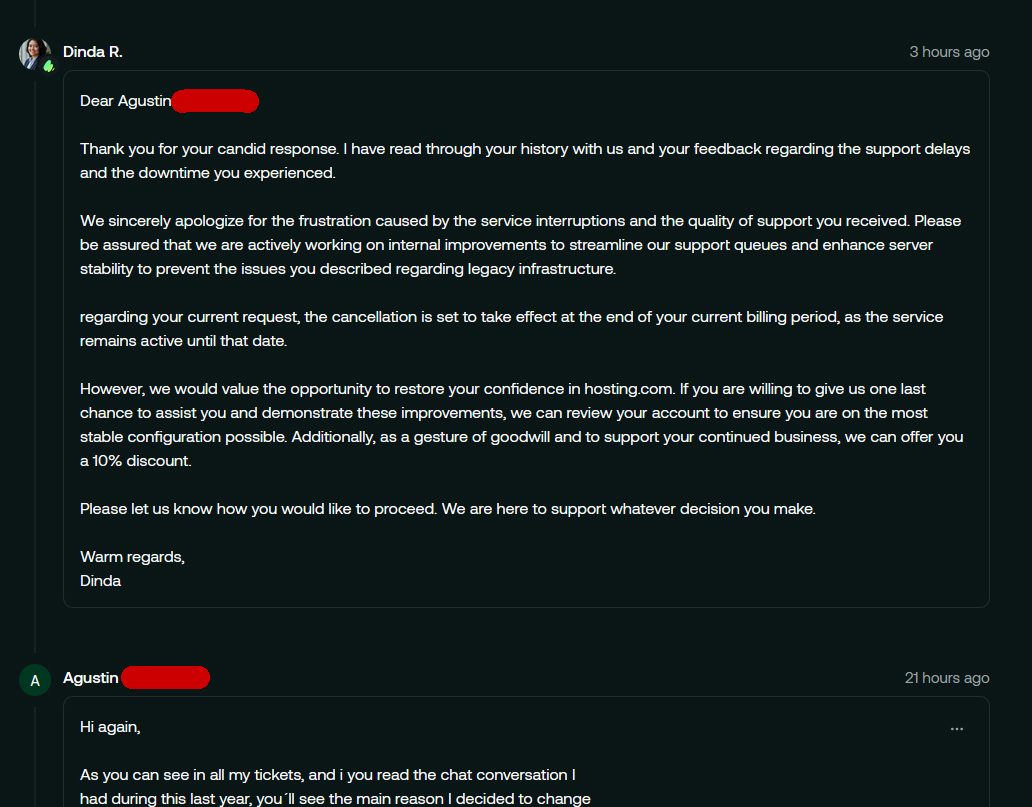
I was a customer of A2 Hosting for more than 7 years, hosting more than one VPS with them — a company that guaranteed ticket responses in under 20 minutes, and almost always delivered. Since the company was acquired by Hosting.com, the technical service has declined significantly. Chat support is practically nonexistent, the VPS went down several times, and worst of all, I’ve now found out they canceled the money-back guarantee.
Back when the company was still A2 Hosting, I paid 3 years in advance knowing that if I ever decided to leave, I could request a refund at any time — like practically every hosting company offers. But for that to work, the service has to be good and people need to want to stay. Hosting.com removed this option and doesn’t honor the conditions that were in place when I paid upfront. They refuse to return my money — I’m basically a hostage of this disastrous company. They keep charging me for a service that is no longer the same, and they take no responsibility for anything.
Thank you for sharing your recent experience. I am sorry to hear that you have decided to move away but I appreciate his feedback and for being a long-term customer. To clarify, our money back guarantee is only for the first 30 days after a new purchase, not a renewal as with most companies. Tickets are an important part of what we do and we strive to always get issues resolved as soon as possible. Our clients are also always able to contact us via phone or live-chat. I will try and find your case to see if there is anything else we can help with. Thank you again.
Yes, hosting.com is excellent for WordPress hosting. My testing showed consistent 100% performance scores, sub-100ms server response times, and includes premium features like Cloudflare Enterprise CDN, WP Rocket caching, and one-click staging environments. It’s genuine managed WordPress hosting with expert support.
Does hosting.com offer free WordPress migration?
Yes, hosting.com provides unlimited free WordPress migrations from any hosting provider. Their expert migration team handles the entire process, provides a preview on a temporary URL before DNS changes, and ensures zero downtime during the transition.
What is the uptime guarantee for hosting.com?
Hosting.com offers 99.9% uptime on the Starter plan and 99.99% uptime on Pro, Business, and Expert plans. This is backed by their enterprise-grade infrastructure with Cloudflare Enterprise CDN and continuous monitoring.
Does hosting.com include email hosting?
Email hosting is available as a separate add-on service from hosting.com. You can set up professional email addresses (yourname@yourbusiness.com) to complement your WordPress hosting, but it’s not included in the standard managed WordPress plans.
HostAdvice.com provides professional web hosting reviews fully independent of any other entity. Our reviews are unbiased, honest, and apply the same evaluation standards to all those reviewed.While monetary compensation is received from a few of the companies listed on this site, compensation of services and products have no influence on the direction or conclusions of our reviews. Nor does the compensation influence our rankings for certain host companies.This compensation covers account purchasing costs, testing costs and royalties paid to reviewers.