


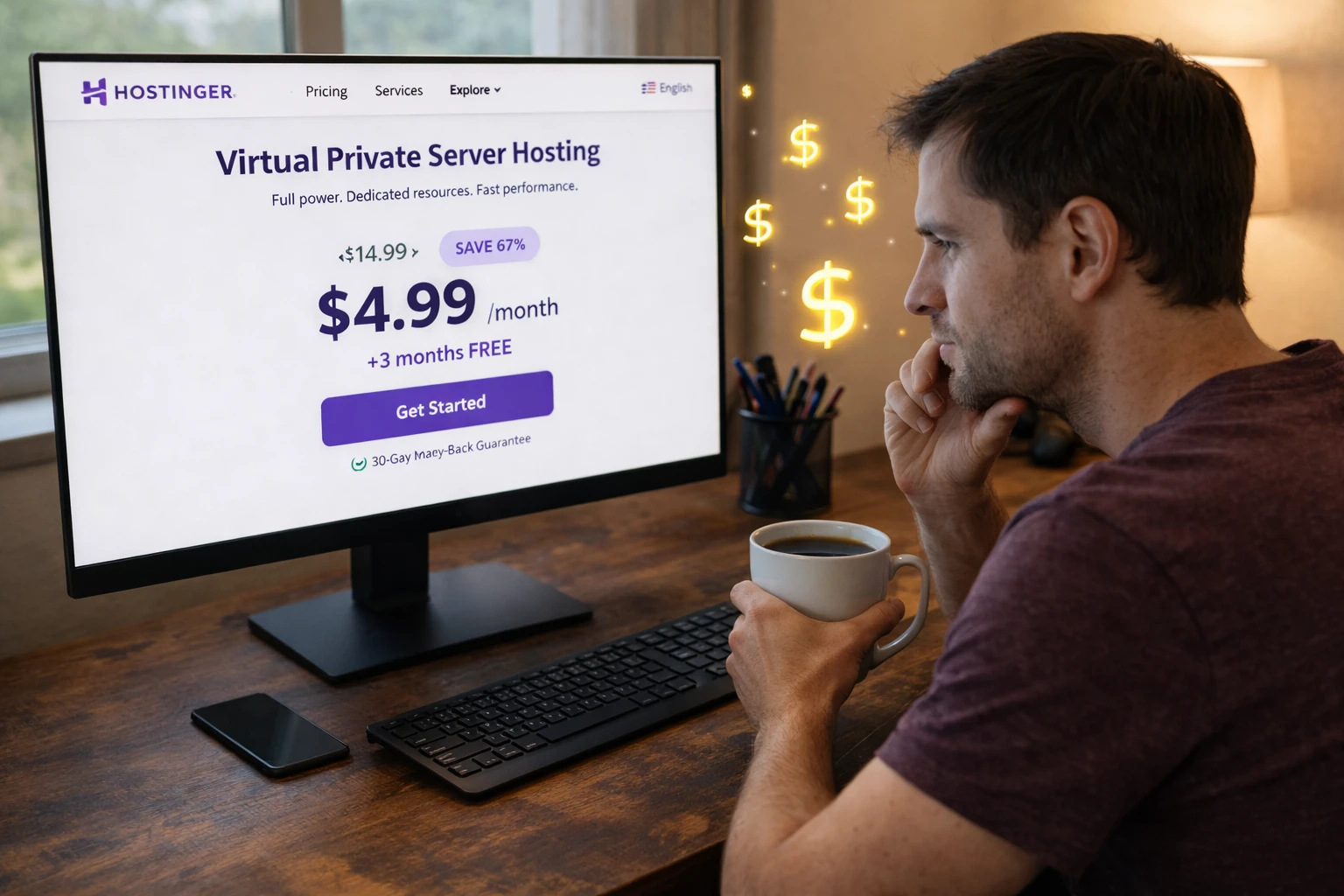
You’re ready to upgrade from shared hosting to your own virtual server. Hostinger’s $4.99/month pricing looks incredible.
But here’s what the landing page doesn’t tell you: that rate jumps by up to 232% when renewal time comes.
Before you commit, you need the full picture of Hostinger VPS pricing, including what you’ll actually pay over time.
Key Takeaways
Start here for the quick version before comparing Hostinger VPS intro rates, renewal jumps, features, and long-term value. Keep in mind, you can also go through our Hostinger VPS review to get more information.
- Introductory rates range from $4.99 to $17.99/mo, but renewals jump 140% to 232% higher.
- KVM 2 offers the best balance of price and performance for growing websites.
- All plans include NVMe SSD storage, dedicated IP address, and free SSL certificates.
- The 30 day money back guarantee gives you time to test before committing.
- Longer contracts lock in lower rates, but only for the first billing term.
- Three-year costs average 46% to 78% higher than advertised promotional prices.
- Hostinger’s beginner-friendly tools make VPS management accessible without coding.

Decoding the Hostinger VPS Pricing Strategy
Hostinger has carved out a dominant position in the VPS hosting market. The appeal is straightforward. Small businesses and first-time VPS users get enterprise-level features at prices that don’t require board approval.
The entry point sits between $4.49 and $6.49 monthly. That’s coffee money for dedicated resources, root access, and performance that shared hosting simply can’t match.
What makes Hostinger VPS stand apart? Kernel based virtual machine technology. KVM virtualization gives you truly isolated resources.
Your virtual private server doesn’t compete with noisy neighbors for CPU time or RAM. When traffic spikes hit your WordPress site, you’re not fighting other users for bandwidth.
Server deployment happens in minutes. Order a plan, and you’re configuring your virtual machine before lunch. The web hosting interface won’t intimidate newcomers, either. Hostinger’s hPanel strips away complexity without sacrificing control.
The Truth About Introductory vs. Renewal Rates
Let’s address the elephant in the pricing table. Hostinger uses promotional pricing, a model where first-term discounts create sticker shock at renewal.
The reality hits hard. Renewal rates increase by 140% to 232% depending on your plan. That $4.99 advertised rate? It’s temporary. The standard rate kicks in when your term expires.
This isn’t unique to Hostinger. Most hosting services operate this way. But transparency matters when you’re budgeting for a website or online store that needs to run for years.

Here’s the strategic angle most people miss. Despite the hikes, initial savings are substantial for startups with limited capital.
You’re essentially getting a discounted runway to build revenue before costs normalize. Smart founders use this window to establish cash flow that covers future renewals.
Detailed Breakdown of Hostinger VPS Plans
Hostinger’s VPS lineup scales quickly, so it helps to match each KVM tier to the workload it can realistically handle.
KVM 1: The Entry-Level Option
The KVM 1 plan targets first-time VPS users, small websites, and learning environments. It’s your sandbox for understanding VPS management without financial risk.
Specifications:
- 1 vCPU core
- 4 GB RAM
- 50 GB NVMe disk space
- 4 TB bandwidth
Pricing breakdown:
- Best intro rate: ~$4.99/month (24-month term)
- Renewal rate: ~$11.99–13.99/month
- Price increase: ~140% jump upon renewal
This plan handles basic web hosting needs comfortably. Running a WordPress site with moderate traffic? KVM 1 delivers.
Testing application deployments? Perfect fit. Learning server administration? You’ve got room to experiment.
KVM 2: The Sweet Spot for Growth
Most readers should start here. The KVM 2 plan balances cost and capability better than any other tier. It’s built for multiple WordPress sites, WooCommerce stores, and web applications that need room to breathe.
Specifications:
- 2 vCPU cores
- 8 GB RAM
- 100 GB NVMe SSD storage
- 8 TB bandwidth
Pricing breakdown:
- Best intro rate: ~$6.29–6.49/month
- Renewal rate: ~$11.49–14.99/month
- Price increase: ~82% to 138%

The verdict? This is the most versatile plan in Hostinger’s plan lineup. Small businesses running an online store alongside a blog get the CPU cores and memory needed for database-heavy operations.
The renewal increase, while significant, remains the lowest percentage jump in the VPS hosting plans range.
KVM 4: More Power for Demanding Sites
Heavy WordPress setups with resource-intensive applications need more muscle. The KVM 4 plan delivers computational power for multitasking without breaking stride.
Specifications:
- 4 vCPU cores
- 16 GB RAM
- 200 GB disk space
- 16 TB bandwidth
Pricing breakdown:
- Best intro rate: ~$8.99/month
- Renewal rate: ~$24.99/month
- Price increase: ~178% to 208%
This tier handles moderate traffic surges gracefully. Multiple client sites? Content-heavy applications? The dedicated resources prevent slowdowns during peak periods.
KVM 8: The Ultimate Performance Tier
High-traffic sites, machine learning models, and large-scale agencies need the KVM 8. It’s serious hardware for serious workloads.
Specifications:
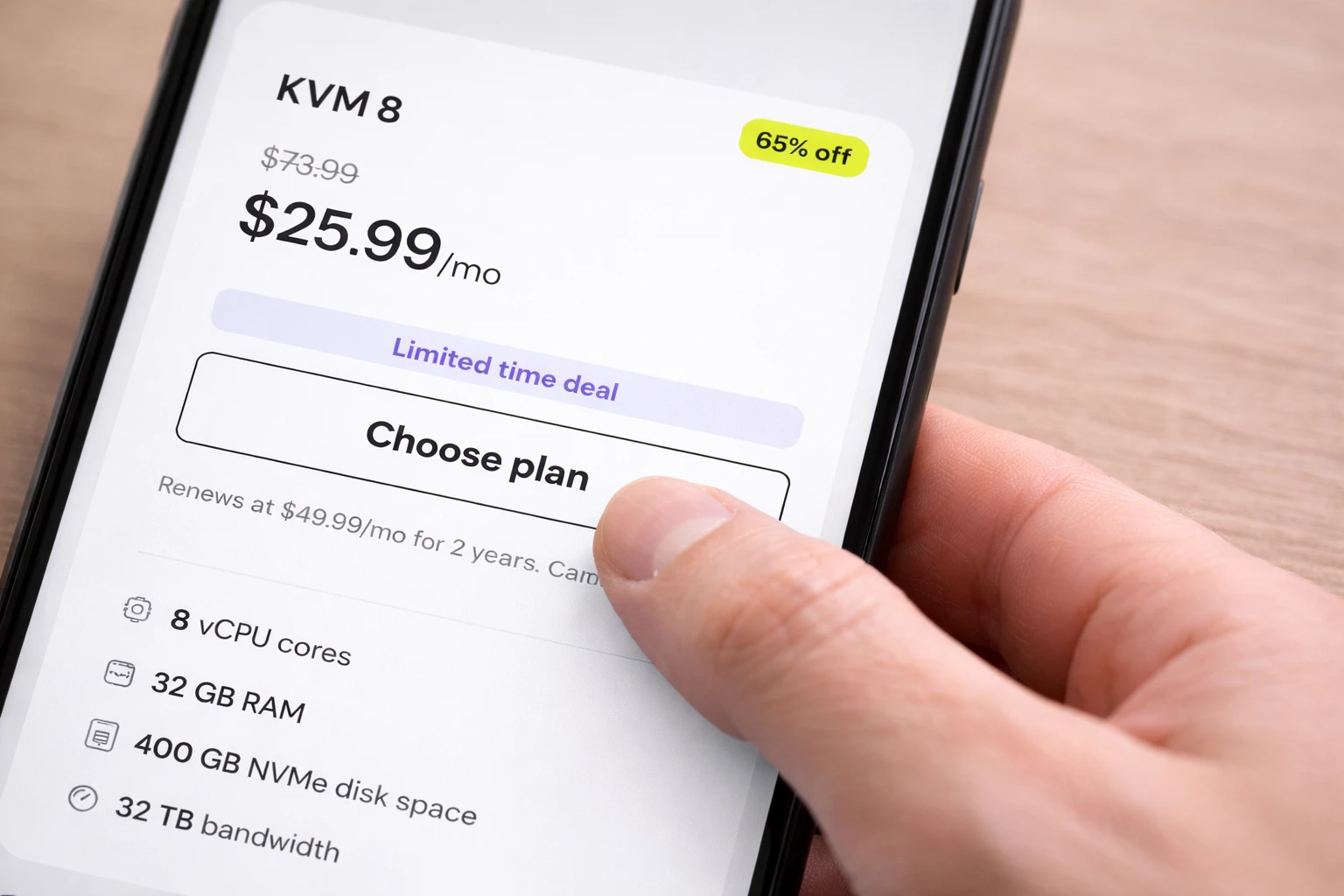
- 8 vCPU cores
- 32 GB RAM
- 400 GB NVMe SSD storage
- 32 TB bandwidth
Pricing breakdown:
- Best intro rate: ~$17.99/month
- Renewal rate: ~$47.99–59.99/month
- Price increase: ~167% to 232%
The entry point for AI testing is significantly cheaper than dedicated hosting alternatives. Large online stores processing thousands of daily transactions find comfortable headroom here.
Analyzing the Total Cost of Ownership
The advertised monthly price tells only part of the story, especially once renewals and contract length enter the equation.
How Contract Length Affects Your Wallet
Longer contracts unlock lower monthly rates. Commit to 24 months, and you’ll see the best introductory pricing. But there’s a catch most buyers miss.
Discounts apply only to the first term. Renewal rates remain standard regardless of your initial commitment length. Choosing a 24-month contract doesn’t lock in that promotional rate forever.
Billing cycles include monthly, 12-month, and 24-month options. The savings maths works like this: committing to 24 months saves roughly 30% compared to monthly billing during the intro period.
For those comparing VPS vs shared hosting, the value proposition becomes clearer. You’re paying more than basic shared hosting, but you’re getting a true virtual private server with isolated resources.
Real Renewal Costs vs. Intro Rates
Budgeting requires looking beyond the sticker price. Here’s what you’ll actually pay:
| VPS Plan | Best Intro Rate (24-month) | Most Likely Renewal Rate | % Increase |
|---|---|---|---|
| KVM 1 | $4.99/month | $11.99/month | 140% |
| KVM 2 | $6.29/month | $14.99/month | 138% |
| KVM 4 | $8.99/month | $24.99/month | 178% |
| KVM 8 | $17.99/month | $59.99/month | 232% |
That 232% increase on KVM 8 stings. Planning ahead prevents surprise bills that strain your budget.
Three-Year Cost Projections

Calculating costs over three years reveals the true monthly price you’re paying.
Example using KVM 2:
- Years 1–2 (promotional rate): ~$150.96 total
- Year 3 (renewal rate): ~$179.88 total
- Real average monthly cost: ~$9.19/month (versus advertised $6.29/month)
The insight here matters. Actual costs over three years run 46% to 78% higher than advertised rates. That’s still competitive within VPS pricing standards, but you need realistic expectations.
Value-Added Features Included in Hostinger VPS
Hostinger bundles several useful tools into its VPS plans, which can reduce the need for extra services.
High-Speed NVMe SSD Storage and Hardware
All VPS plans use NVMe SSDs, which are significantly faster than traditional solid-state drives. Your website loads quickly because data retrieval happens at peak speeds.
Every tier includes a 1 Gbps network connection. Combined with KVM virtualization ensuring no resource contention, your performance and security remain consistent. Data centers spanning multiple continents keep latency low for global audiences.
Leveraging the AI Assistant and Kodee
Kodee is Hostinger’s AI agent designed to help with server management queries. Stuck on a configuration question? Ask Kodee. Need help troubleshooting? The AI assistant responds with actionable guidance.
This makes VPS management accessible to users with less technical expertise. The AI tools integrate directly with hPanel, streamlining operations that traditionally required command-line knowledge.
Hostinger horizons expands what’s possible for users who want to grow online without becoming system administrators.
Data Safety with Weekly Backups and Snapshots
Every hosting plan includes free automated weekly backups. Your data gets protected without manual intervention.
Snapshots let you save server state before major changes. Planning a risky update? Create a snapshot first. If something breaks, restoration takes minutes, not hours.
Daily backups are available as an upgrade for sites where weekly backups aren’t frequent enough.
Essential Security: DDoS Protection and Free SSL
Built-in DDoS protection shields your virtual machine from traffic attacks. Free SSL certificates from Let’s Encrypt secure all domains hosted on your VPS. The malware scanner adds another defense layer.
Every plan includes a dedicated IP address, improving email deliverability and giving you better reputation control. Integrated firewall configuration tools in the control panels let you customize security rules.
24/7 Customer Support and Assistance
Round-the-clock customer support via live chat and email means help is always available. The knowledge base covers common issues, and AI Agent support handles routine questions instantly.
Unlike some premium competitors, there’s no extra fee for support access. Your business plan includes full support as standard.
Hidden Costs and Extra Considerations
Most major costs are visible upfront, but a few limits and external expenses can still affect your total budget.
Bandwidth Limits and Throttling Policies
Bandwidth allocations are generous. KVM 1 gets 4 TB. KVM 8 gets 32 TB. Most websites never approach these limits.
What happens if you exceed them? No surprise fees. Instead, speed throttles to 10 Mbps until the next billing cycle. You can cancel anytime if this becomes problematic.
Migration and Domain Expenses
Hostinger offers free website migration services for incoming customers. Moving from another host? They’ll handle the technical work.
Domain registration isn’t free with VPS plans. Renewal costs range from $10 to $129 yearly depending on the extension. You do get a free domain for 1 year with longer commitments on some plans.
Leaving Hostinger requires manual effort to migrate data out. There’s no exit fee, but budget time for the process.
How Hostinger Compares to the Competition
Hostinger looks strongest when you compare ease of use, intro pricing, and beginner-friendly management against more developer-focused hosts.
Hostinger vs. DigitalOcean and Vultr
Hostinger’s intro rates beat competitors, but DigitalOcean and Vultr offer flat, predictable monthly price structures. No renewal surprises.
Usability differs significantly. Hostinger targets beginners with managed hosting features like the AI website builder and one-click templates. DigitalOcean and Vultr assume developer knowledge.
If you’re comparing hosting provider options, Hostinger wins on accessibility. Developers might prefer the flexibility elsewhere.
Hostinger vs. Contabo and OVHcloud
Contabo offers more RAM per dollar. OVHcloud emphasizes enterprise infrastructure with AMD EPYC processors. Both maintain consistent pricing without promotional models.
Hostinger wins on ease of use and initial onboarding speed. The cloud startup plan gets you running faster than alternatives.
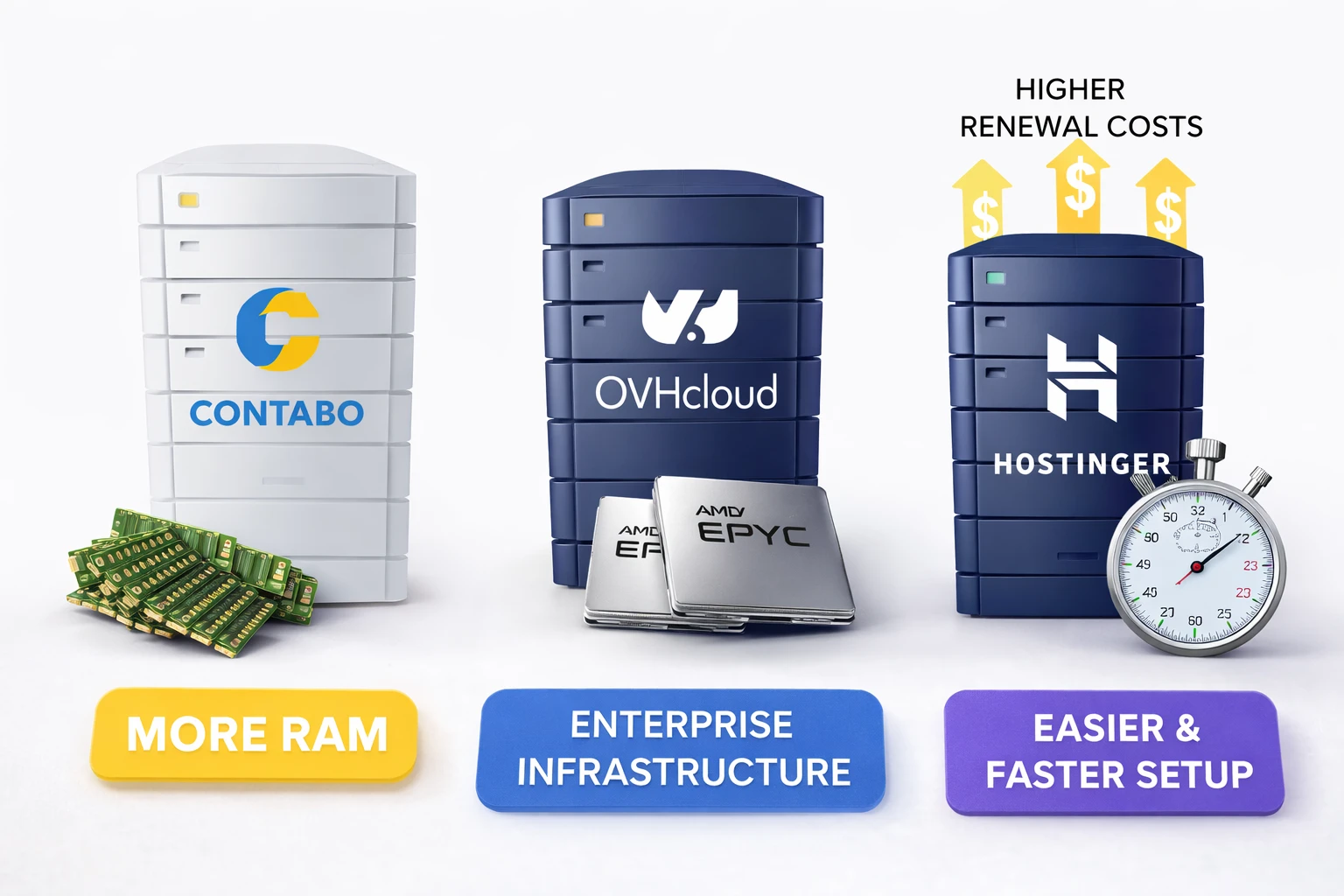
The tradeoff? Hostinger has higher renewal hikes compared to these rivals’ steady rates.
Use Cases: Who Needs Which Plan?
The right VPS tier depends on what you plan to run, how much traffic you expect, and how much control your project needs.
Hosting WordPress and Blogs
Recommendation: KVM 2
The KVM 2 handles caching and traffic spikes effectively. NVMe storage keeps your WordPress site loading fast. It’s cost-effective for content-focused sites that need more power than basic WordPress hosting plans provide.
Running WooCommerce Stores
Recommendation: KVM 2 for small stores; KVM 4 for larger catalogs
E-commerce demands more RAM and CPU for database queries. Product catalogs with hundreds of items need the extra vCPU cores. The premium business cloud tier becomes worthwhile as sales volume grows.
With 0 transaction fees on your payment processing, more revenue stays in your pocket.
Deploying Web Applications
Recommendation: KVM 4 or KVM 8
Full root access enables custom environments. Node.js, Python, Ruby on Rails, whatever stack your application needs runs without restrictions. Higher vCPU counts support complex backend processing.
AI and Machine Learning Projects
Recommendation: KVM 8
Eight CPU cores and 32 GB RAM provide necessary headroom for smaller models. It’s a significantly cheaper entry point for AI testing than dedicated servers.
Building Your Online Presence
Whether you’re launching a personal blog or an online store, your hosting plan shapes everything that follows. The right virtual server gives your website room to grow without performance bottlenecks.

Consider your goals. Starting a business? The cloud hosting plans offer the scalability you need. The website builder with drag and drop editor simplifies design work. The premium plan adds features that matter as traffic grows.
Your own virtual server means complete control over your site running smoothly. No sharing resources with strangers. No wondering why pages load slowly during peak hours.
Smart Buying Strategies for Hostinger VPS
WordPress sites usually need stable resources more than massive specs, which makes the middle tiers worth comparing closely.
Tips to Minimize Your Total Spend
- Start small. Buy the smallest plan that fits your current needs. Upgrading is easy and prorated, so you’re not locked into excess capacity.
- Commit early if you’re satisfied after testing. The 24-month term delivers best value during the promotional period.
- Maximize freebies. Use free migration, free SSL, free CDN, and automated weekly backups included with every plan.
Understanding the Refund Policy
- The 30-day money-back guarantee applies to VPS plans. You can stress-test before making a final commitment.
- One restriction: refunds are limited to one VPS plan per 180 days. Cryptocurrency payments are non-refundable.
Next Steps: What Now?
Use these quick actions to test the VPS, plan around renewal pricing, and set up the essentials before launch.
- Calculate your three-year total cost using the renewal rates, not promotional pricing.
- Choose a limited time deal on the KVM 2 plan for the best balance of features and cost.
- Test server performance during the 30-day guarantee period before committing long-term.
- Set up automated weekly backups and create a manual snapshot before major updates.
- Explore Kodee and the AI tools to simplify server management tasks.
- Configure your free SSL certificates and DDoS protection immediately after deployment.
