Best VM Hosting Services: A Quick Overview
| Provider | Starting Price | Storage (GB) | CPU (Cores) | RAM (GB) | |
|---|---|---|---|---|---|
![]() | $5.52 | 50-400 | 1-8 | 4-32 | Visit Hostinger |
![]() | $4.00 | 20-4000 | 1-32 | 1-128 | Visit Kamatera |
![]() | $2.00 | 10-640 | 1-12 | 1-24 | Visit IONOS |
![]() | $4.00 | 30-50 | 1-2 | 2-4 | Visit VPSServer.com |
![]() | $2.64 | 50-200 | 1-4 | 2-8 | Visit HostGator |
![]() | $4.69 | 50-450 | 1-8 | 2-16 | Visit Bluehost |
![]() | $6.49 | 80-640 | 2-16 | 4-32 | Visit Hosting.com |
![]() | $3.00 | 40-160 | 1-2 | 2-8 | Visit InterServer |
![]() | $4.59 | 30-100 | 4-6 | 1-6 | Visit Ultahost |
![]() | $10.00 | 80-640 | 2-16 | 4-32 | Visit Verpex Hosting |
What Are VM Hosting Services?
VM (Virtual Machine) hosting services give you your own virtualized environment on a physical server, kind of like renting your own mini computer inside a bigger one. Each virtual machine acts independently, with its own operating system, CPU, memory, and storage.
That means you can run different apps, manage websites, or test software securely, without affecting or being affected by others on the same server.
In short, virtual machine hosting is a flexible option for developers and businesses that want control, scalability, and dedicated resources without the cost of a physical server.
When to Choose and When to Avoid VM Hosting
Not sure if VM hosting is right for you? Let’s break it down. Here’s when virtual machine hosting makes sense, and when you might want to skip it.
| Reasons to Use VM Hosting | Reasons Not to Use VM Hosting |
| You need dedicated resources for your apps or websites. | You’re a beginner and prefer not to manage server settings. |
| Your website or app experiences moderate to high traffic regularly. | You have a simple website with low traffic, where shared hosting is enough. |
| You need custom software installations or specific OS configurations. | You don’t need custom configurations and can use pre-configured hosting. |
| You need root access for advanced configurations and control. | You’re on a tight budget and need the most affordable hosting option. |
| You’re running multiple projects and need isolated environments. | You don’t have the technical expertise to manage a VM. |
VM Hosting Alternatives
If it turns out that VM hosting doesn’t quite fit your needs, you’ve got plenty of other solid options:
- Shared Hosting: Ideal for small websites with lower traffic and minimal resource needs. It’s a cost-effective option for beginners.
- Dedicated Servers: Great for large websites with high traffic that need full control and exclusive server resources.
- Cloud Hosting: Best for websites with fluctuating traffic, offering scalability and flexibility to pay for only the resources used.
- Managed WordPress Hosting: Perfect for WordPress websites, offering optimized performance, security, and automatic updates.
How to Choose the Best VM Hosting Provider
Now that you know what VM hosting is and whether it suits your needs, the next step is choosing a provider. The market’s packed with options, but here’s how to narrow it down and find one that truly fits.
- Understand Your Needs: Figure out your traffic, resources, and how much control you want. Pick a provider that aligns with that.
- Evaluate Performance: Look for high uptime (99.9% or above) and fast loading speeds.
- Consider Scalability: Make sure you can easily upgrade or downgrade as your project grows.
- Check Support Availability: Go for a provider with 24/7 customer support and multiple support channels (chat, email, phone).
- Review Pricing: Compare what you get for the price to find real value, not just the cheapest deal.
10 Best VM Hosting Providers for October 2026
If you’re ready to explore your options, here are some of the best virtual machine hosting providers out there right now. They stand out for performance, pricing, and reliability.
-
Best Overall Hosting 2026
-
Users Top Choice 2026
-
Most Recommended NodeJS 2026
-
Best AI App Builder 2026
-
Top 5 Europe Web Hosting 2026

Thanks to its user-friendly interface and straightforward setup process, Hostinger is an excellent option for beginners seeking VM hosting.
Hostinger is ideal for individuals and small businesses starting with VM hosting, offering a balance of affordability and quality.
Rating Based on Expert Review
Here’s a quick look at how Hostinger performs based on expert testing and user feedback.
- Overall Score: 4.8
- Features: 4.7
- Reliability: 4.8
- User-Friendliness: 5.0
- Support: 4.7
- Pricing: 4.9
Detailed Analysis
Let’s take a closer look at what makes Hostinger stand out.
- Features: Hostinger includes cloud-based infrastructure, free SSL certificates, and automatic backups. The control panel is simple and ideal for beginners.
- Reliability: With a 99.9% uptime guarantee and global data centers, Hostinger keeps your virtual machines running smoothly.
- User-Friendliness: The interface is intuitive and beginner-focused, so you can manage servers easily from day one.
- Support: Hostinger’s 24/7 support team is available via live chat and email, ready to solve issues quickly.
- Pricing: Plans start at $3.99/month, offering excellent value for those seeking quality hosting on a budget.
Pros & Cons
Here’s a quick summary to help you decide if Hostinger is the right fit.
- Highly affordable plans
- User-friendly control panel
- Reliable uptime
- Limited scalability for advanced users
- Basic support options
-
Best VPS Hosting 2026
-
Top 5 Europe Web Hosting 2026
-
Top 5 Australia Web Hosting 2026
-
Top 10 Best Gaming Hosting Provider 2026
-
Top 10 Reseller Hosting 2026

Kamatera is known for its powerful, scalable cloud setup, a go-to choice for anyone looking for reliable virtual machine hosting.
With options ranging from 1 to 104 vCPUs and up to 512GB RAM, it’s built for businesses that need flexibility.
Thanks to its pay-as-you-go pricing, you can easily scale resources up or down whenever your workload changes.
Rating Based on Expert Review
Here’s how Kamatera performs based on expert testing and real-world use.
- Overall Score: 4.9
- Features: 5.0
- Reliability: 5.0
- User-Friendliness: 4.8
- Support: 4.9
- Pricing: 4.9
Detailed Analysis
Let’s break down what makes Kamatera stand out in the hosting space.
- Features: Kamatera delivers fully customizable cloud solutions that work for simple virtual machines and large enterprise projects. You also get tools like firewalls, load balancers, and access to 13 global data centers.
- Reliability: With a 99.95% uptime guarantee and multiple data centers worldwide, Kamatera ensures high performance and no single point of failure.
- User-Friendliness: The control panel is intuitive and simple to navigate. Some tech knowledge helps, but startups and developers will find it easy to manage their setups.
- Support: You get 24/7 live technical support from experienced specialists ready to assist with any problem.
- Pricing: Kamatera’s flexible pay-as-you-go model starts at $4/month, so you only pay for the exact resources you use.
Pros & Cons
Here’s a quick look at Kamatera’s strengths and potential downsides.
- Highly customizable and scalable solutions
- Global data center coverage
- 24/7 expert support
- Managed services can be pricey
- Some technical skills needed
-
Best Value for Money 2026
-
Editor's Choice 2026
-
Most Recommened PHP Hosting 2026
-
Top 5 UK Web Hosting 2026
-
Top 5 Europe Web Hosting 2026

IONOS by 1&1 is a solid choice for small businesses looking for reliable and scalable VM hosting. With strong infrastructure and plenty of features, it gives businesses the flexibility they need to grow without worrying about performance or downtime.
Rating Based on Expert Review
Here’s a quick look at how IONOS performs across key areas.
- Overall Score: 4.7
- Features: 4.8
- Reliability: 4.8
- User-Friendliness: 4.6
- Support: 4.7
- Pricing: 4.8
Detailed Analysis
Let’s explore what makes IONOS a strong option and where it might need extra attention.
- Features: High-performance SSD storage, scalable resources, and advanced security options keep your VMs running smoothly.
- Reliability: A 99.99% uptime guarantee and global data centers ensure your virtual machines stay online.
- User-Friendliness: The control panel is powerful but slightly less intuitive. Users with some technical knowledge will find it easy to navigate.
- Support: 24/7 support includes a dedicated personal consultant for each account. The team is responsive and knowledgeable.
- Pricing: Plans start at just $2/month and scale with your needs, offering excellent value for small businesses.
Pros & Cons
Here’s a quick snapshot of the strengths and potential downsides.
- Scalable resources
- Personal consultant support
- Competitive pricing
- Less intuitive control panel
- Basic plan lacks advanced features

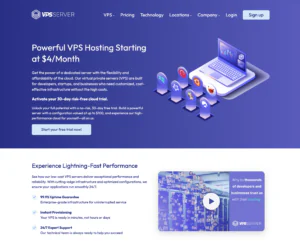
VPSServer.com’s VM Hosting is a practical fit for users who want to run multiple isolated environments without paying for separate servers. It’s well-suited for developers, MSPs, and technical teams that need test/staging VMs, small production services, sandbox environments, or customer-specific instances. The main value is control: you can choose your OS, define resource allocations, and build repeatable templates for quick provisioning. VM hosting also helps with security segmentation—separating apps, databases, and utilities into different guests to reduce blast radius. The trade-off is that you’ll handle the virtualization layer, updates, and capacity planning, so it works best when you’re comfortable managing infrastructure.
Rating Overview
- Overall Score: 4.4
- Performance: 4.5
- Support: 4.2
- Security: 4.5
- Pricing: 4.6
- Ease of Use: 4.2
Detailed Analysis
Performance: VM performance is consistent for light to moderate workloads when CPU and RAM are sized properly.
You can avoid shared hosting bottlenecks and allocate resources where they matter most.
Disk I/O becomes the main limiter for busy VM stacks, so storage planning is important.
Support: Support is strongest for provisioning, host availability, and basic connectivity issues.
Virtualization configuration, guest tuning, and stack troubleshooting are generally up to your team.
Providing logs and metrics helps reduce back-and-forth when diagnosing performance concerns.
Security: VM isolation is a major advantage for separating services and reducing lateral risk.
You can harden access, restrict management ports, and apply firewall rules per service.
Security depends on patching discipline across both host and guest systems.
Pricing: Pricing is attractive for users consolidating multiple small workloads into one environment.
It’s cost-effective for labs, agencies, and MSP use cases that need repeatable deployments.
Costs can rise with storage, snapshots, and higher RAM needs for multiple concurrent guests.
Ease of Use: Setup is straightforward for experienced admins, but not fully beginner-friendly.
Networking, routing, and backup strategy take planning to avoid operational headaches.
Once templated, provisioning and lifecycle management become efficient and predictable.
Pros and Cons
Excellent value for running multiple isolated environments
Flexible OS and configuration choices for different workloads
Strong segmentation for security and service separation
Scales well for labs, staging, and MSP-style deployments
Cost-effective consolidation compared to multiple servers
Requires hands-on virtualization and maintenance skills
Storage and I/O can limit heavier VM workloads
Monitoring and backups must be planned and managed
-
Top 10 Linux Hosting 2026
-
Top 10 Website Builder 2026
-
Great Support 2026
-
Excellent Service 2026
-
Over 99% Uptime 2026

HostGator’s VM Hosting delivers flexible virtual machines that cater to a wide range of workloads, making it a solid fit for businesses seeking scalable resources. It’s especially suitable for mid‑size companies and agencies that need reliable performance without complex infrastructure.
Rating Overview
- Overall Score: 4.6
- Pricing: 4.4
- Features: 4.5
- Performance: 4.7
- Support: 4.3
- User Friendly: 4.5
HostGator’s VM platform offers fully configurable virtual environments with dedicated CPU, RAM, and SSD storage options. Instant provisioning and a robust control panel let users launch and manage VMs quickly, while built‑in security tools help protect data.
The service includes automated backups, DDoS mitigation, and a choice of data centers across North America, ensuring low latency for regional audiences. Competitive pricing tiers make it accessible for both startups and established enterprises looking to grow.
Detailed Analysis
Features: HostGator provides a rich set of tools including a custom cPanel, API access, snapshot backups, and one‑click OS installers, enabling developers to tailor environments to specific application needs.
Reliability: With a 99.9% uptime SLA, redundant power, and network failover across multiple data centers, the platform maintains consistent availability for mission‑critical workloads.
User‑Friendly: The intuitive control panel, clear documentation, and guided setup wizards reduce the learning curve, allowing even non‑technical users to manage VMs efficiently.
Support: 24/7 live chat and ticket support are backed by knowledgeable technicians; response times are solid, though peak periods can see slightly longer wait times.
Pricing: Plans start at $9.99 per month for a basic VM, scaling up to higher‑performance configurations; the tiered pricing model offers good value, especially with bundled backups and SSL certificates.
- Highly scalable resources for growing workloads
- Robust security features including DDoS protection
- Easy-to-use control panel with one‑click installers
- Global data center options for low latency
- Support response can be slower during high traffic periods
- Limited advanced networking features compared to premium rivals
-
Top 10 WordPress Hosting 2026
-
Top 10 Website Builder 2026
-
Over 99% Uptime 2023
-
Top 25 WordPress Hosting 2023

Bluehost delivers a full-featured VM Hosting solution that blends performance with ease of use, making it a solid fit for developers and small‑to‑medium businesses alike. Its managed environment and integrated tools simplify deployment, while still offering the flexibility enterprises need.
Rating Overview
- Overall Score: 4.5
- Pricing: 4.3
- Features: 4.4
- Performance: 4.6
- Support: 4.5
- User Friendly: 4.4
Bluehost’s VM Hosting platform provides scalable virtual machines with SSD storage, automatic backups, and a custom control panel that streamlines site management. The service includes free SSL certificates, a CDN, and one‑click installer for popular applications, ensuring quick launches and reliable uptime.
Designed for both novices and seasoned developers, the environment supports multiple operating systems and offers root access when needed. Combined with 24/7 support and a 30‑day money‑back guarantee, Bluehost positions itself as a dependable choice for those seeking balanced performance and affordability.
Detailed Analysis
Features: The package comes with SSD storage, free SSL, integrated CDN, one‑click app installer, and optional managed services, delivering a comprehensive toolset for varied workloads.
Reliability: Data centers across North America provide redundant power and network paths, achieving a 99.9% uptime guarantee backed by proactive monitoring.
User-Friendly: A custom control panel simplifies VM provisioning, resource scaling, and backup management, making it accessible for beginners while still offering advanced options for experts.
Support: 24/7 live chat, phone, and ticket support staffed by knowledgeable technicians ensure timely assistance, complemented by an extensive knowledge base.
Pricing: Plans start at competitive rates with predictable billing, though renewal prices increase; the inclusion of free domain and SSL adds value for cost‑conscious users.
- Robust infrastructure with SSD storage
- Intuitive custom control panel
- Competitive introductory pricing
- Free SSL, domain, and CDN
- Limited advanced configuration options
- Higher renewal rates after promotional period
-
Top 25 Offshore Hosting 2026

Hosting.com offers a reliable and flexible VM hosting setup designed for developers, IT teams, and enterprises that need scalable performance and full control over their environments.
It’s a strong fit for businesses migrating legacy apps, running development stacks, or hosting critical workloads that require stability and isolation.
With a global data center network and top-tier virtualization technology, it blends enterprise-grade reliability with cloud flexibility.
Rating Overview
Here’s how Hosting.com performs based on expert analysis and user feedback.
- Overall Score: 4.6
- Performance: 4.7
- Support: 4.6
- Security: 4.6
- Pricing: 4.5
- Ease of Use: 4.6
Detailed Analysis
Let’s take a closer look at how Hosting.com delivers in each area.
- Performance: Hosting.com uses SSD storage and modern virtualization for fast, consistent performance, with dedicated CPU and memory to avoid slowdowns.
- Support: Their 24/7 technical team is knowledgeable and responsive. While support is strong overall, response times may slow slightly during peak hours.
- Security: Features like private networking, role-based access, and automated backups keep data protected. Optional DDoS protection adds another layer of security.
- Pricing: Plans are fairly priced for medium to large-scale use, with transparent billing based on resource consumption. Entry-level users may find the base configurations more than they need.
- Ease of Use: The control panel is powerful and customizable. While it may take newcomers a bit to learn, the documentation is clear and detailed.
Pros & Cons
Here’s a quick rundown of what stands out and what could improve.
- Reliable VM infrastructure with high uptime
- Flexible resource management
- Strong security features including snapshot and DDoS options
- Helpful documentation and developer tools
- Responsive tech support team
- Slightly high starting price for lightweight projects
- Control panel may be overwhelming for beginners
-
Best Linux Hosting Provider 2026
-
Top 5 USA Web Hosting 2026
-
Top 10 Reseller Hosting 2026
-
Top 10 Windows Hosting 2026
-
Great Support 2026

Interserver offers flexible and reliable virtual machine hosting that gives developers, SMBs, and agencies granular control over CPU, RAM, and storage.
With scalable resources and simple monthly pricing, it’s perfect for teams managing Linux or Windows VMs, staging environments, or custom application stacks.
While beginners may need a little time to get up to speed, the overall value and performance are excellent.
Rating Overview
Here’s how Interserver performs across key areas based on expert testing and real-world use.
- Overall Score: 4.6
- Performance: 4.6
- Support: 4.5
- Security: 4.6
- Pricing: 4.7
- Ease of Use: 4.5
Detailed Analysis
Let’s break down what makes Interserver stand out and where it may have limits.
- Performance: Interserver delivers stable compute with dedicated CPU and memory slices, avoiding noisy-neighbor issues. Disk options balance speed and capacity for typical web apps, APIs, and control panels.
- Support: The team quickly helps with server, network, and setup questions. Clear guides make getting started much easier.
- Security: Basic protections include network filtering, system updates, and keeping each VM separate. Snapshots and backups make recovery simple and reliable.
- Pricing: Plans are clear and scale as needed, so you pay only for what you use. Costs stay competitive if you handle administration yourself.
- Ease of Use: Provisioning is fast with popular OS and panel images. The portal keeps monitoring, DNS, and rebuild actions close at hand, though newcomers may need time to learn.
Pros & Cons
Here’s a quick overview of the strengths and potential downsides.
Transparent, incremental resource scaling
Strong value for developers and SMBs
Reliable performance isolation on shared nodes
Snapshot and backup workflows are straightforward
Quick provisioning with popular OS images
Not fully managed; DIY patching and hardening
Interface can feel tricky for newcomers
Fewer global data center choices than hyperscalers
-
Best Dedicated Hosting Provider 2026
-
Best Windows Hosting Provider 2026
-
Top 5 France Web Hosting 2026
-
Top 10 Website Builder 2026
-
Top 10 Web Hosting 2026

Ultahost is a budget-friendly option for anyone looking for reliable Virtual Machine hosting. It offers solid performance and a range of plans that work for personal projects and business apps.
Its combination of affordability and quality makes it a great choice for cost-conscious users.
Rating Based on Expert Review
Here’s a quick look at how Ultahost performs across key areas.
- Overall Score: 4.7
- Features: 4.7
- Reliability: 4.7
- User-Friendliness: 4.8
- Support: 4.7
- Pricing: 4.9
Detailed Analysis
Let’s take a closer look at what makes Ultahost stand out.
- Features: Ultahost includes SSD storage, unmetered bandwidth, and free daily backups to keep your VMs running smoothly.
- Reliability: With a 99.9% uptime guarantee, its stable infrastructure ensures minimal downtime.
- User-Friendliness: The clean, intuitive control panel makes managing your hosting environment simple for all skill levels.
- Support: 24/7 support via live chat, email, and phone is responsive and helpful whenever you need it.
- Pricing: Plans start at just $5.50/month, which makes it a strong choice for affordable, reliable VM hosting.
Pros & Cons
Here’s a quick snapshot of the strengths and potential drawbacks.
- Budget-friendly pricing
- User-friendly interface
- Free daily backups
- Limited advanced features
- Performance can vary sometimes
-
Best Reseller Hosting Provider 2026
-
Top 5 Australia Web Hosting 2026
-
Top 5 UK Web Hosting 2026
-
Top 10 Windows Hosting 2026
-
Top 10 VPS Hosting 2026

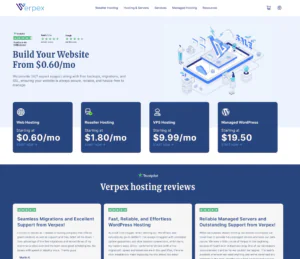
Verpex offers VM hosting designed for developers, SaaS startups, agencies, and technical site owners who want control without giving up support.
You can adjust CPU and RAM, pick modern stacks, and deploy across regions to keep apps fast and responsive.
It sits between entry-level shared hosting and premium cloud platforms, delivering solid performance, useful tools, and responsive help at an approachable price.
Rating Overview
Here’s how Verpex performs across key areas based on expert testing and real-world experience.
- Overall Score: 4.5
- Performance: 4.6
- Support: 4.5
- Security: 4.5
- Pricing: 4.4
- Ease of Use: 4.6
Detailed Analysis
Let’s break down what makes Verpex a strong choice and where it might need extra care.
- Performance: NVMe storage and steady compute keep databases and microservices fast. Vertical scaling adds resources during traffic spikes.
- Support: 24/7 help is available for deployments and OS tweaks. Guides and docs speed up setup.
- Security: Firewalls, hypervisor isolation, and routine patching protect your VMs. Snapshots and backups allow quick recovery.
- Pricing: Entry plans are affordable and scale predictably. Add-ons like snapshots and storage are clear, though heavy use raises costs.
- Ease of Use: Clean provisioning and familiar control panels simplify setup. Templates and metrics help with daily management.
Pros & Cons
Here’s a quick overview of the strengths and possible drawbacks.
Flexible VM sizes with easy scaling
NVMe storage and solid network throughput
Helpful onboarding guides and responsive 24/7 support
Predictable pricing and transparent add-ons
Easy snapshots and backups for safety
Custom setup may be needed for compliance
Heavy bandwidth can raise costs
Niche stacks require more self-management
Why Trust Our Recommendations
At HostAdvice, every review is backed by hands-on testing and real user feedback. The goal is to help you make confident decisions based on facts, not marketing.
Our expert team regularly monitors providers so that the best VM hosting services we recommend truly reflect up-to-date performance and customer satisfaction.
Best VM Hosting: Final Recommendations
To wrap things up, VM hosting is a strong choice if you need control, scalability, and dedicated resources. It’s particularly useful for developers, growing businesses, or anyone managing multiple projects.
But if you’re a beginner or working with a tight budget, shared or managed hosting might be more practical. Whatever you choose, make sure it fits your goals, technical comfort level, and growth plans.
Related Hosting Recommendations
If you’re still exploring, here are a few more hosting options worth checking out: