


The average price for shared web hosting is between $1.49 and $15 per month, while dedicated web hosting is more expensive, ranging between $20 and $700 per month. Also, WordPress hosting starts at $3, VPS hosting costs $5 to $120, and cloud web hosting starts at $4.99.
Web hosting is an umbrella term that covers the different hosting services that power your website’s performance on the internet. The price you pay to host a website will determine the amount of storage space to store your website’s files on the server. Small businesses share a single server with other users, while companies need multiple web servers or a dedicated server.
What determines the web hosting price? The price depends on several factors: the cost of each type of hosting, the type of hosting you’ll need, and the cheapest and best providers on the market.
In this post, we will compare the web hosting prices, starting with the cheapest prices offered by different web hosting providers. Our experts have tested dozens of web hosting plans and curated a ranking of the best web hosting providers.
Before we start, here is our recommendation for the best value for money when it comes to web hosting plans and providers:

Web Hosting Pricing: What the Top Hosts Charge
Take a look at the best-ranked web hosting companies, their plans, and what you get for your money. Is there such a thing as a free hosting period? Check below!
Web Hosting Pricing: What the Top Hosts Charge
Take a look at the best-ranked web hosting companies, their plans, and what you get for your money. Is there such a thing as a free hosting period? Check below!
| Provider | Cheapest Monthly Price | Length of Plan | Monthly Saving | Money-back Guarantee | Website |
|---|---|---|---|---|---|
 | $2.99 | Monthly | 75% | 30 Days | Visit Hostinger |
 | $2.49 | Monthly | X | 45 Days | Visit HostArmada |
 | $1 | Monthly | 93% | 30 Days | Visit IONOS |
 | $2.70 | Monthly | 55% | 45 Days | Visit Verpex Hosting |
 | $4 | Monthly | X | 30-day free trial | Visit Kamatera |
 | $1.99 | Monthly | 80% | 45 Days | Visit Neoxea |
 | $4 | Monthly | X | X | Visit VPSServer.com |
 | $2.49 | X | 79% | 45 Days | Visit ChemiCloud |
 | $1.79 | Monthly | 88% | 30 Days | Visit Hosting.com |
Factors Affecting Website Hosting Cost
Web hosting pricing has become cheaper and more affordable over the years, thanks to the red-hot competition among web hosting providers. Still, not all web hosting services are created equal.
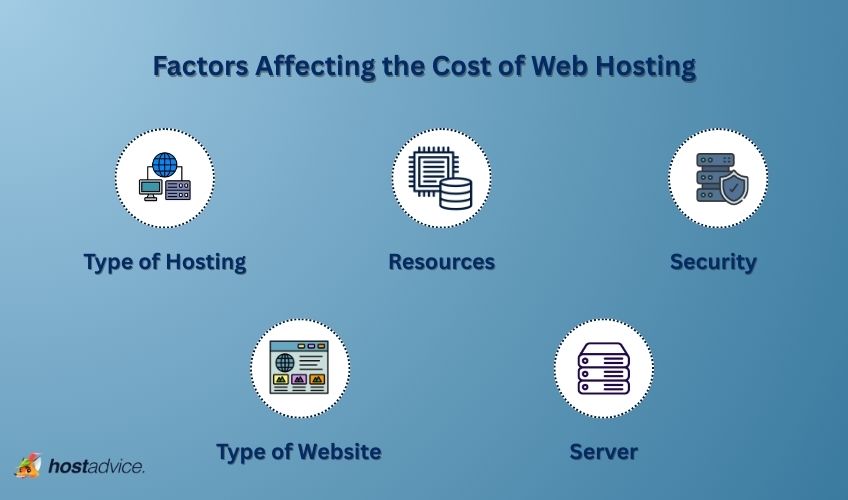
Factors like how many server locations they offer or how much storage you get can really shape which host is right for you. The cost also depends on the kind of website you’re building, the type of hosting you choose, and how many resources your site needs. Armed with this information, you can choose a web hosting plan that suits your needs.
Type of Web Hosting
Web hosting costs can range from under $2 to hundreds of dollars each month. Each type is designed to offer different web hosting services and levels of performance. If you know what kind of web host you need and what each type offers, your decision will be much easier. So, let’s start!
| Hosting Type | Price Range | Best for | Pros | Cons |
|---|---|---|---|---|
| Shared | $2.99–$9.99/mo | New/small sites |
|
|
| VPS | $15–$80/mo | Growing sites |
|
|
| WordPress | $5–$30/mo | WordPress sites |
|
|
| Cloud | $10–$300+/mo | Scaling with traffic |
|
|
| Dedicated | $80–$500+/mo | Large/enterprise sites |
|
|
Now that you’ve seen a brief overview, let’s break down each hosting type in more detail.
Shared Web Hosting
Shared web hosting is the best place to start your web hosting because it is most affordable for small businesses, portfolios, or personal websites with less traffic or less functional websites. It’s not on the pricier side because the cost of server maintenance is shared among many customers.
Our preferred Shared Hosting Plans by Hostarmada:
Tip: Check out our Best Shared Hosting page for our top picks!
VPS Web Hosting
VPS (Virtual Private Server) is one step above shared hosting. It’s the hosting type with many perks of a dedicated server, but shares a single server with other websites.
What is the key difference between VPS and shared hosting? With VPS, you share the server with fewer sites, which means better security, reliability, and performance than you’d get with shared hosting plans.
VPS hosting is a great option for businesses that have outgrown shared hosting or anyone looking for a more reliable and affordable backup solution.
Bonus: If you prefer more control and lower costs, self-managed VPS hosting is worth considering.
Our preferred VPS Plans by Kamatera:

Tip: Check out our Best VPS Hosting page for more!
WordPress Web Hosting
WordPress hosting is designed specifically for WordPress sites, with servers and features optimized for better performance.
You’ll get features like faster speed and sometimes even premium WordPress plugins. That said, you don’t have to use it since you can still run WordPress websites on any standard hosting plan.
Tip: Check out our Best WordPress Hosting page for more!
Cloud Web Hosting
Cloud hosting is a type of web hosting that lets a website use resources from multiple servers. Instead of relying on just one physical server, it splits the load across several cloud servers that work together as one network.
It’s a great option for online stores or business websites that get a lot of traffic. Besides, if one server goes down, your site stays online, thanks to the other connected servers.
Our preferred Cloud Hosting Plans by A2 Hosting:

Tip: Check out our Best Cloud Hosting page for more!
Dedicated web hosting
Typically costs $20 – $700/month.
Dedicated hosting allows users to rent their own servers. Dedicated hosting plans are arranged based on the power of your server and whether it will be managed by the hosting provider or unmanaged.
Our preferred Dedicated Hosting Plans by Interserver:

Tip: Check out our Best Dedicated Servers page for more!
The type of Website and Hosting Resources
When choosing a hosting plan, the website you’re building plays a big role in the cost. For example, a simple blog website will be cheaper to host than an eCommerce site.
Hosting providers allocate various resources to your website. Generally, more resources mean a higher hosting price.
Many web hosts even offer a website builder to simplify site creation, but some may charge extra for that option.
Here’s what you need to know about key resources that most web hosting companies offer:
- SSD Storage: This is the space for your website’s files. Small sites need 15GB to 35GB, medium sites 50GB to 320GB, and dedicated servers need 80GB to 640GB. Plus, SSDs are faster and more reliable than HDDs.
- RAM: This temporary memory helps your website respond to user actions. More RAM means better performance. Hosting providers typically allocate 2GB to 32GB, depending on the plan.
- Bandwidth: This determines how much data your site can transfer to visitors. Without enough bandwidth, your site may slow down or crash. Some web hosting companies offer unlimited bandwidth, while others provide 1TB to 10TB, depending on your plan.
- CPU: This is the processing power that handles requests from your site. The more CPU cores you have, the faster your site will perform. Providers allocate anywhere from 1 to 64 CPU cores.
Server and Security
When picking a hosting provider, you should think about server reliability and security to keep your site running smoothly and safe from threats. All right, but what does that mean?
- Server: Your website’s files are stored on servers, which visitors access. Look for a hosting provider with reliable servers and a 99.99% uptime guarantee. Downtime can increase costs, so choose a host with solid reviews on uptime reliability.
- Security: Protect your site from hackers with strong security measures. This is especially critical for eCommerce sites handling sensitive customer data. Key security features include:
- Network firewall
- Web application firewall
- Brute force protection
- Malware and virus protection
- Password protection
- Secure cloud
- Two-factor authentication
- Server monitoring
- Hotlink protection
Some reliable hosting providers with well-managed server environment like FastComet and HostArmada include some of these features in their plans. Advanced security features are generally unavailable if you go for cheap or free web hosting.
Extra costs to consider
Web hosting is only one of the costs of building a website. You might face extra costs when creating a user-friendly, secure, and easy-to-navigate website. Check out the costs summarized in the table below:
| Item | Typical Cost | Description |
|---|---|---|
| Domain Name Registration | $2 to $20/year |
|
| SSL Certificate | $60/year |
|
| Microsoft 365 | $12.50/month |
|
| Sitelock | $5.99 to $24.99/month |
|
How to Save Money on Website Hosting: Tips and Tricks
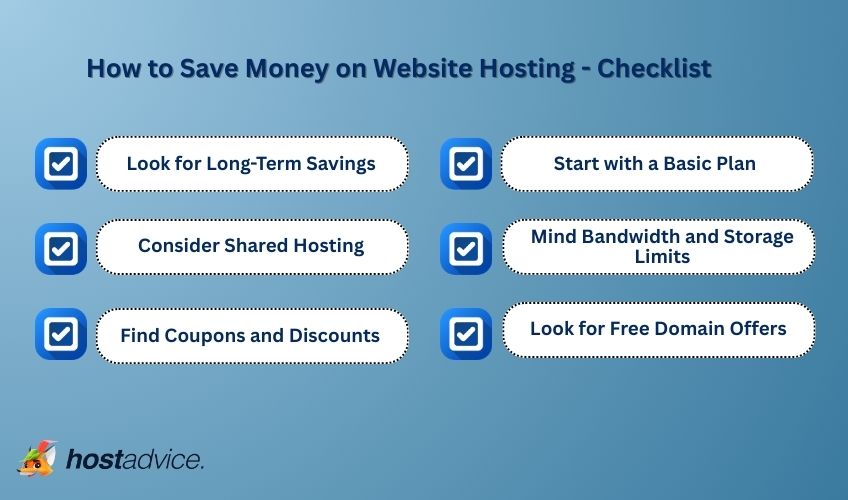
Although it is a necessary investment for website owners, web hosting doesn’t have to be expensive. If you’re a budget-conscious customer, you can save money on web hosting without compromising on performance or quality.
Here are five practical suggestions that can help you reduce the cost of web hosting:
- Look for Long-Term Savings: Many hosting companies offer discounts for annual or multi-year plans. Paying upfront can save you money compared to monthly payments.
- Consider Shared Hosting: Shared hosting is often cheaper than VPS or dedicated hosting. Just be sure to test web hosts before making a final decision to prevent slow loading times or downtime.
- Find Coupons and Discounts: Compare different hosting providers and look for special discounts or coupons to reduce your initial sign-up fees.
- Start with a Basic Plan: You don’t need a feature-packed plan at first. Pick a basic package and add extras only when needed.
- Watch Out for Bandwidth and Storage Limits: Choose a plan that fits your needs. Don’t pay extra for resources you won’t use.
- Look for Free Domain Offers: Many hosting providers offer a free domain name for the first year. It’s a great way to save upfront, but don’t forget about renewal fees after the first year.
It takes some organization and research to save money on web hosting, but it might be worthwhile.
Premium Web Hosting Plans: Are They Worth the Extra Cost?
Premium web hosting is a step up from basic plans, with additional features like faster speeds, better security, and more support. But is it worth the extra cost? Here’s what you need to know:
- Extra Features: Premium plans often include automatic backups, SSL certificates, and more storage space.
- Dedicated Resources: These plans give you more control over memory, CPU, and bandwidth, which can boost your site’s performance.
- Faster Load Times: Some premium plans include Content Delivery Networks (CDNs), which speed up your site by storing content in multiple locations.
- Upgraded Support: You might also get professional help with website optimization and marketing to boost traffic and conversions.
- Customizable Packages: Some providers offer customized hosting plans, so you can choose only the web hosting services you truly need.
Though premium plans cost more, they can be a good investment if your website needs better performance, reliability, and security, which makes the investment worthwhile. Just make sure to consider your site’s needs and budget when deciding.
How Web Hosting Cost Affects Your Website’s Speed and UX
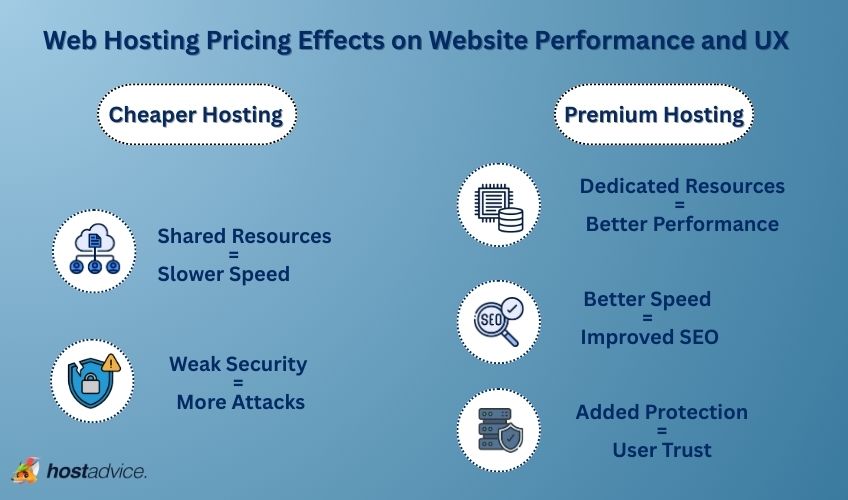
The price of your hosting plan can directly impact your website’s performance and user experience. Here’s how:
- Shared Resources = Slower Speed
Cheaper hosting plans often mean your website shares server resources with others, which leads to slower loading times and less reliable uptime. - Dedicated Resources = Better Performance
More expensive plans give you dedicated resources (memory, CPU, and bandwidth), which means faster load times and better performance. - Weak Security = More Attacks
Lower-cost hosting options may lack robust security features, which makes your site more vulnerable to attacks. - Added Protection = User Trust
Premium hosting often includes added protections like automatic backups, virus scanning, and SSL certificates to keep your site secure and boost user trust. - Better Speed = Improved SEO and UX
Investing in premium hosting can improve your site’s speed, which can help SEO, user engagement, and, ultimately, conversions and income.
While cheap hosting plans may save you money upfront, they could harm your site’s performance and security in the long run. On the flip side, a higher-quality hosting plan can improve your site’s performance and UX.
How to Avoid Web Hosting Scams and Spot Hidden Fees
Web hosting scams are sadly common and can lead to extra costs, misleading pricing, and poor service. Here are five useful tips to remember:
- Watch for Unrealistic Offers: Avoid providers promising unlimited resources or extremely low prices. They often charge extra fees later or cause slow website performance.
- Read the Fine Print: Cheap web hosting options can add up over time with hidden fees for setup, domain transfers, and renewals. Always check the details.
- Be Careful of Pushy Sales Tactics: If a provider pressures you into a quick decision or advertises limited-time deals, it could be a scam.
- Check Reviews: Look for hosting companies with a solid track record and customer reviews to ensure reliability.
- Look for a Money-Back Guarantee: If things don’t work out with your chosen provider, a money-back guarantee can protect you from getting stuck with a bad deal and cancellation fees. Just be sure to read the terms.
Protect yourself from scams by researching providers carefully. To stay on the safe side, stick to trusted hosts with clear, upfront pricing to keep your website running smoothly.
Summary
The truth about web hosting prices is that you don’t need to pay a fortune to host your website. Keeping your hosting costs low is easy if you understand your website needs. However, the total cost to host your website will depend on some of the factors listed above and the potential extra costs.
The most important fact is that you should not sacrifice the quality of your web host by choosing a lower hosting price. You might end up paying more than needed to resolve security issues, uptime, speed, and your website visitors’ overall experience.
Still unsure who will be your web hosting provider? Try HostArmada with their 45-day money-back guarantee!


