Free Website Builders: Features Overview
| Provider | Starting Price | Storage (GB) | Bandwidth | Free Domain | |
|---|---|---|---|---|---|
![]() | $0.00 | Not Specified | NA | NA | Visit Lovable |
![]() | $0.00 | Unlimited | NA | Yes | Visit Base44 |
![]() | $0.00 | 2-Unlimited | 500mb – Unlimited | Yes | Visit Wix |
![]() | $0.00 | 2-50 | Unlimited | Yes | Visit Hostinger |
![]() | $0.00 | 50-200 | Unlimited | Yes | Visit One.com |
![]() | $0.00 | Unlimited | Unlimited | Yes | Visit Squarespace |
![]() | $0.00 | 10-unlimited | Unlimited | Yes | Visit IONOS |
![]() | $0.00 | 10-100 | Unmetered | Yes | Visit Elementor |
![]() | $0.00 | 10-100 | N/A | Yes | Visit Bluehost |
![]() | $0.00 | 10-100 | Unmetered | Yes | Visit HostGator |
What is a Free Website Builder?
A free website builder is an online tool that allows users to create websites without any coding knowledge or costs. These platforms typically offer drag-and-drop features, customizable templates, and basic functionalities for building personal or business sites.
Users can choose from various design options, add text, images, and other elements, and publish their websites for free, although premium features may require payment. Free website builders are ideal for beginners or those on a tight budget.
When to Choose and When to Avoid a Free Website Builder
| Reasons to Use a Website Builder | Reasons Not to Use a Website Builder |
| You need to create a website quickly without coding skills. | You require highly customized features not supported by the free builder. |
| You have a limited budget and prefer an all-in-one solution. | Your website requires complex functionalities or integrations. |
| You want to manage your website easily with a user-friendly interface. | You need full control over your website’s backend and server. |
| You require a responsive design with built-in SEO tools. | Your website will handle very high traffic or sensitive data. |
| You are building a small to medium-sized website, such as a blog, portfolio, or online store. | You plan to scale your website significantly and need advanced scalability. |
Alternatives to Free Website Builders
- WordPress Website Builders: Ideal for users who want more flexibility and control over their WordPress website design and functionality.
- Paid Website Builders: Best for businesses that need a fully customized website with specific features.
- Content Management Systems (CMS): Suitable for those requiring more complex content management and organization than typical website builders.
- eCommerce Website Builders: Perfect for primarily building an online store with advanced eCommerce features.
How to Choose the Best Free Website Builder
- Ease of Use: Look for an intuitive drag-and-drop interface, especially if you’re a beginner.
- Features: Ensure the builder includes essential features like SEO tools, mobile responsiveness, and eCommerce support.
- Customization: Check if the builder offers templates that suit your industry and allow for easy customization.
- Support and Resources: Opt for a provider with 24/7 customer support and a comprehensive knowledge base.
- Pricing: Compare plans to find one that fits your budget while offering the needed features.
10 Best Free Website Builders of 2026
-
Top 10 AI App Builders 2026

This platform serves as an ideal entry point for individuals and small businesses seeking to establish an online presence without any initial investment. It excels in the Lovable category by making web design accessible and enjoyable, perfect for first-time website creators, hobbyists, and those with a limited budget.
Rating Overview
- Overall Score: 4.2
- Pricing: 5.0
- Features: 3.8
- Performance: 3.5
- Support: 3.0
- User Friendly: 4.9
This free website builder offers a highly intuitive drag-and-drop interface, allowing users to construct attractive, functional websites with minimal technical skill. It focuses on providing a seamless creation experience, making it a beloved choice for anyone looking to go online quickly and effortlessly. While it offers a solid foundation for basic sites, users can often scale to premium plans for more advanced functionalities.
Detailed Analysis
Features: You’ll gain access to a selection of pre-designed templates, a visual drag-and-drop editor, and mobile-responsive design capabilities. Basic SEO tools and a free subdomain are typically included, providing enough to get a simple personal or business site operational.
Reliability: For a free service, the platform generally offers stable uptime suitable for personal blogs or small informational sites. While not designed for high-traffic enterprise solutions, it provides dependable service within its scope.
User-Friendly: The platform’s strongest asset is its exceptional ease of use. The visual builder and guided setup process significantly lower the barrier to entry, making it straightforward even for users with no prior web development experience.
Support: Free plans often rely heavily on comprehensive knowledge bases, community forums, and email support for assistance. While direct, real-time support might be limited, there are ample resources available to guide users through common issues.
Pricing: As the name suggests, the core offering is completely free, making it an unbeatable option for budget-conscious users. Premium upgrades are available to unlock custom domains, advanced features, and remove ads, offering flexible growth paths.
- Completely free to start building a website
- Extremely intuitive drag-and-drop interface
- Wide variety of professional-looking templates
- No coding knowledge required for site creation
- Ideal for personal use and small informational sites
- May display platform branding or ads on free sites
- Features can be limited compared to paid alternatives
- Basic customer support often via knowledge base only
-
Best AI Website Builders 2026

This Base44 hosting solution is ideal for individuals and small businesses looking to establish an online presence rapidly and without significant upfront investment. It caters particularly to beginners and those needing a straightforward way to build and manage a basic website or portfolio.
Rating Overview
- Overall Score: 4.3
- Pricing: 4.8
- Features: 4.1
- Performance: 4.0
- Support: 3.9
- User Friendly: 4.9
This platform excels in providing an accessible entry point into web development, offering intuitive tools that eliminate the need for coding knowledge. Its primary focus is on empowering users to launch simple, functional websites through a user-friendly drag-and-drop interface and a selection of customizable templates.
While offering a robust free tier, it also provides clear upgrade paths for users who require more advanced features, custom domain integration, or enhanced support as their online presence grows.
Detailed Analysis
Features: You’ll get access to a suite of intuitive drag-and-drop editing tools, a wide selection of responsive design templates, and basic SEO capabilities. Free plans typically include a subdomain, limited storage, and bandwidth, along with essential website building components to get started quickly.
Reliability: Uptime for websites built on this platform is generally consistent for basic needs, ensuring your site remains accessible. However, performance and loading speeds on free tiers might be adequate rather than exceptional, which is common for platforms offering free services.
User-Friendly: This platform is designed specifically for maximum ease of use, making it incredibly beginner-friendly. The visual editor allows users to construct pages with minimal effort, and guided setup processes help new users navigate the initial stages of website creation seamlessly.
Support: For free tier users, support often relies on extensive knowledge bases, community forums, and self-help guides. Premium plans typically unlock more direct support channels, such as email or live chat, providing more personalized assistance when needed.
Pricing: The core appeal lies in its free-to-start model, allowing anyone to build a functional website without financial commitment. Paid plans offer significant upgrades, including custom domain linking, increased storage, removal of branding, and access to advanced marketing tools.
- Completely free to start building and hosting a basic website
- Extremely user-friendly drag-and-drop interface
- No coding knowledge required for site creation
- Quick setup with numerous pre-designed templates
- Suitable for personal projects, portfolios, and small ventures
- Limited features and storage on the free plan
- Often includes platform branding or ads on free sites
- Custom domain typically requires an upgrade to a paid plan
- Scalability might be challenging for rapidly growing businesses
-
Best Website Builder Provider 2026
-
Top 25 Website Builder 2026

Wix is one of the most popular website builders globally. It caters to users of all skill levels, offering an intuitive drag-and-drop interface alongside a vast range of design elements, apps, and templates. Wix is perfect for anyone creating a professional, fully customized website with minimal effort.
Rating Based on Expert Review:
- Overall Score: 4.9
- Features: 5.0
- Reliability: 4.8
- User-Friendly: 4.9
- Support: 4.7
- Pricing: 4.8
Detailed Analysis:
- Features: Wix provides an extensive range of templates, a robust app market, and advanced customization options. Its AI-driven design tools (Wix ADI) make website creation even easier, while the Corvid platform offers advanced development capabilities for custom features.
- Reliability: With data centers worldwide, Wix ensures your website runs smoothly, offering a 99.9% uptime guarantee. The platform is constantly updated, ensuring the latest features and security measures are in place.
- User-Friendly: Wix’s drag-and-drop editor is highly intuitive, allowing users to easily create websites. Its interface is clean and organized, with helpful tools to guide beginners through the design process.
- Support: Wix provides 24/7 support via phone, live chat, and a comprehensive help center. The support team is efficient, though complex issues may require longer resolution times.
- Pricing: Wix offers a free plan with basic features, while premium plans start at $14/month. The pricing is competitive, considering the extensive range of features and customization options available.
Pros and Cons:
- Highly versatile with numerous customization options
- Intuitive drag-and-drop interface
- Extensive app market for additional functionality
- Ads on the free plan
- Some advanced features require a higher-tier plan
-
Best Overall Hosting 2026
-
Users Top Choice 2026
-
Most Recommended NodeJS 2026
-
Best AI App Builder 2026
-
Top 5 Europe Web Hosting 2026

Hostinger website builder plans to cater to both beginners and experienced users, offering a seamless experience from start to finish. Hostinger is especially known for its excellent balance of pricing and performance, making it a top choice for affordable, reliable, and user-friendly website builders.
Rating Based on Expert Review:
- Overall Score: 4.8
- Features: 4.8
- Reliability: 4.7
- User-Friendly: 4.8
- Support: 4.7
- Pricing: 5.0
Detailed Analysis:
- Features: Hostinger offers a website builder with pre-designed templates, AI-driven tools, and seamless integrations. It supports drag-and-drop functionality and provides access to essential marketing tools.
- Reliability: Hostinger ensures 99.9% uptime, with data centers spread across multiple regions to ensure global availability and speed. The hosting service is highly reliable and consistent in performance.
- User-Friendly: The website builder is intuitive, making it easy for anyone to build a website quickly. Hostinger’s dashboard is clean and easy to navigate, ensuring a smooth user experience.
- Support: Hostinger provides 24/7 support through live chat and a knowledge base. The support team is responsive, although response times may vary during peak hours.
- Pricing: Hostinger stands out for its affordable pricing, with plans starting as low as $2.99/month. The cost-to-value ratio is excellent, especially considering the features and performance offered.
Pros and Cons:
- Very affordable pricing
- Easy-to-use website builder with AI tools
- Excellent performance and uptime
- Limited storage on entry-level plans
- Support can be slower during peak times
-
Top 5 Europe Web Hosting 2026
-
Top 10 Reseller Hosting 2026
-
Top 25 WordPress Hosting 2026

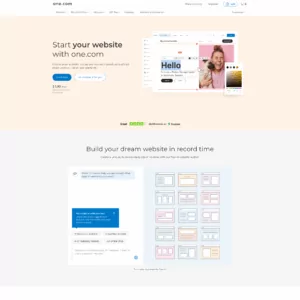
One.com offers a free website builder hosting option that enables individuals and small businesses to create and publish websites quickly without upfront costs.
Rating Overview:
- Overall Score: 4.3
- Pricing: 4.8
- Features: 4.2
- Performance: 4.3
- Support: 4.4
- User Friendly: 4.6
Detailed Analysis:
- Pricing: One.com’s free plan allows users to build a basic website without any hosting fees, making it ideal for personal projects, portfolios, or small startups on a tight budget.
- Features: The free website builder includes essential tools like drag-and-drop editing, a selection of templates, and basic SEO settings, though some advanced features require paid upgrades.
- Performance: Hosting quality on the free plan ensures decent uptime and loading speeds, enough for simple websites and initial online presence.
- Support: Support is available via help articles and email, but free users may experience slower response times compared to paid customers.
- User Friendly: The builder is intuitive and beginner-friendly, allowing users to create and publish sites quickly without technical knowledge.
- No-cost website builder hosting
- Simple drag-and-drop interface
- Good for small, basic websites
- Limited features on free tier
- Slower support response for free users
-
Top 10 Website Builder 2026

Squarespace is a premium website builder known for its beautiful, design-focused templates and user-friendly interface. It is a favorite among creative professionals, including artists, photographers, and designers, who seek to showcase their work online. Squarespace provides a polished, all-in-one platform that simplifies the process of building a stunning website.
Rating Based on Expert Review:
- Overall Score: 4.7
- Features: 4.8
- Reliability: 4.7
- User-Friendly: 4.7
- Support: 4.7
- Pricing: 4.5
Detailed Analysis:
- Features: Squarespace offers an array of high-quality templates, advanced design tools, and built-in eCommerce functionality. It also provides blogging tools, integrated analytics, and marketing features.
- Reliability: With a 99.9% uptime guarantee and robust infrastructure, Squarespace ensures reliable performance, making it a dependable choice for creatives who need a consistent online presence.
- User-Friendly: Squarespace’s interface is sleek and easy to navigate, though some users may find it less flexible than other builders. The drag-and-drop editor is intuitive, allowing for quick and easy site creation.
- Support: Squarespace provides 24/7 support through live chat and email. The support team is responsive and helpful, ensuring users have the assistance they need when building and maintaining their websites.
- Pricing: Squarespace plans start at $16/month, with higher-tier plans offering additional features like advanced eCommerce tools. The pricing reflects the platform’s premium nature and the quality of its design options.
Pros and Cons:
- Stunning, design-focused templates
- All-in-one platform with integrated features
- Strong eCommerce and marketing tools
- Limited flexibility compared to other builders
- Higher pricing, especially for premium features
-
Best Value for Money 2026
-
Editor's Choice 2026
-
Most Recommened PHP Hosting 2026
-
Top 5 UK Web Hosting 2026
-
Top 5 Europe Web Hosting 2026

IONOS offers a wide range of scalable solutions for individuals and businesses of all sizes. Their website builder is powerful and versatile, designed to grow with your needs. IONOS is ideal for users who anticipate scaling their websites over time and require a hosting provider that can accommodate that growth.
Rating Based on Expert Review:
- Overall Score: 4.6
- Features: 4.6
- Reliability: 4.7
- User-Friendly: 4.5
- Support: 4.6
- Pricing: 4.7
Detailed Analysis:
- Features: IONOS provides a flexible website builder with numerous templates, an easy-to-use drag-and-drop editor, and advanced customization options. It also includes integrated SEO tools and marketing features.
- Reliability: With data centers worldwide and a 99.9% uptime guarantee, IONOS ensures that your website remains fast and reliable, regardless of where your audience is located.
- User-Friendly: While the website builder is feature-rich, it may feel overwhelming for beginners. However, once familiarized, it provides extensive options for customization and scalability.
- Support: IONOS offers 24/7 support via phone and live chat. Their support is reliable and focuses on providing personalized assistance, although response times can vary.
- Pricing: IONOS offers competitive introductory pricing, starting at $1/month for the first year. However, prices increase upon renewal, reflecting the service’s premium quality and scalability.
Pros and Cons:
- Highly scalable solutions
- Integrated SEO and marketing tools
- Competitive introductory pricing
- Complex interface for beginners
- Price increases upon renewal
-
Top 10 Website Builder 2026
-
Top 10 AI Website Builder 2026

Rating Overview:
- Overall Score: 4.8
- Ease of Use: 4.9
- Design Flexibility: 4.8
- Performance: 4.7
- Support: 4.6
- Value for Money: 4.8
Elementor is one of the most popular free website builders in the world, especially among WordPress users. With an intuitive drag-and-drop interface, it empowers users to build stunning, professional-grade websites without writing a single line of code. Its free version comes packed with robust features ideal for personal projects, portfolios, and small business sites.
Detailed Analysis:
- Ease of Use: Elementor’s visual editor is extremely beginner-friendly. Users can drag, drop, and customize elements in real time with minimal learning curve.
- Design Flexibility: The builder offers dozens of widgets and templates that allow for complete layout control and stylish page creation, even in the free version.
- Performance: Optimized for speed and responsiveness, Elementor helps create mobile-friendly, fast-loading sites that adhere to modern web standards.
- Support: Elementor offers a knowledge base, community support, and tutorials for free users. Premium users gain access to faster, dedicated help.
- Value for Money: With no cost upfront, the free version offers exceptional functionality that rivals some paid builders.
Pros and Cons:
- Completely free to start with no time limits
- Drag-and-drop interface with real-time previews
- Dozens of pre-designed templates and widgets
- Compatible with most WordPress themes
- Regular updates and active user community
- Hosting not included – needs WordPress setup
- Some advanced widgets are locked behind the Pro version
- May require external plugins for full functionality
-
Top 10 WordPress Hosting 2026
-
Top 10 Website Builder 2026
-
Over 99% Uptime 2023
-
Top 25 WordPress Hosting 2023

Bluehost is a practical pick for “free website builders” if what you really want is a builder experience included with hosting, rather than a true free-forever plan. Its WordPress-focused onboarding includes WonderSuite (builder tools like blocks and guided setup) and an AI-assisted flow that helps you generate a starter site structure quickly, which is helpful for first-time site owners, local businesses, and freelancers who want to publish fast. The tradeoff is that the “free builder” is tied to an active hosting plan, so you’re evaluating overall value based on the bundle—hosting reliability, ease of edits, and how quickly you can move from draft to live site.
Rating Overview
- Overall Score: 4.4
- Performance: 4.5
- Support: 4.4
- Security: 4.5
- Pricing: 4.2
- Ease of Use: 4.7
Detailed Analysis
Performance: Bluehost handles lightweight builder-made sites well, especially when pages stay clean and media is optimized. Performance is generally consistent for brochure sites, portfolios, and simple landing pages built with standard blocks. If you add lots of plugins or heavy scripts, you may need caching and a higher tier to keep load times stable.
Support: Support is useful during the “build and publish” phase, covering common blockers like SSL, domain setup, and basic site launch tasks. The guided experience reduces how often you need help, which is a plus for beginners. More complex site issues can still require WordPress troubleshooting beyond the builder layer.
Security: The bundled approach provides a solid baseline for typical small websites, but updates still matter for long-term safety. Keeping WordPress core and plugins current is essential once the site is public. Adding strong admin controls and reliable backups makes the setup more resilient.
Pricing: The builder tools are positioned as included with plans that support WordPress, rather than a standalone free hosting tier. Upfront deals can look affordable, but renewals and add-ons can influence total cost. It’s best value when you already planned to pay for hosting and want the builder convenience included.
Ease of Use: WonderSuite is designed for quick starts, with guided steps and builder components that simplify layout and editing. Non-technical users can publish a decent first draft fast and refine it over time. Highly custom designs may still take effort, but the baseline workflow is smooth.
Pros and Cons
Builder tools included with WordPress-capable hosting plans
AI-assisted setup helps launch a first draft quickly
Beginner-friendly editing with guided onboarding
Solid performance for lightweight business websites
Easy path to expand with plugins and features
Not a free-forever website builder hosting plan
Long-term cost depends on renewals and add-ons
Performance can drop if the site becomes plugin-heavy
-
Top 10 Linux Hosting 2026
-
Top 10 Website Builder 2026
-
Great Support 2026
-
Excellent Service 2026
-
Over 99% Uptime 2026

HostGator is less straightforward for “free website builders” than many people expect, because it does not offer a standalone free website builder plan, and its own Website Builder is no longer available for new signups. That said, HostGator can still be useful for budget-minded users who want to build a site with included tools inside a hosting bundle, or for existing customers who already have the builder service active. The key is setting expectations: you can get an affordable starting point for a basic site, but the “free builder” story depends on eligibility, current account status, and whether your needs fit a simple, template-led build.
Rating Overview
- Overall Score: 4.0
- Performance: 4.4
- Support: 4.4
- Security: 4.3
- Pricing: 4.4
- Ease of Use: 3.5
Detailed Analysis
Performance: HostGator performs well for simple websites and entry-level hosting use, particularly when designs are lightweight and media is optimized. Performance is usually fine for basic pages, contact forms, and small content sites. More demanding sites may need a higher tier to keep backend actions and page loads consistently responsive.
Support: Support is helpful for setup fundamentals like SSL, DNS, email configuration, and migration troubleshooting. That’s valuable when you’re trying to get a site live quickly and avoid downtime during setup. Builder-related limitations can’t always be solved by support if the feature you need isn’t available for new accounts.
Security: Security is solid for standard small sites when paired with good update habits and strong credentials. Basic protections help reduce common risks, but account hygiene still matters. For business sites, tighter admin controls and dependable backups are strongly recommended.
Pricing: HostGator can be affordable for hosting, but it’s important to note it doesn’t provide a standalone free plan as a core offering. The value is better framed as “low-cost hosting with bundled extras,” not “free builder hosting.” If you outgrow entry tiers, total cost rises as you scale resources and features.
Ease of Use: Ease of use is the biggest tradeoff for people seeking a builder-first experience, since HostGator’s Website Builder isn’t offered for new signups. You may need a more hands-on setup path depending on what’s available in your account. For users comfortable learning a CMS workflow, it’s workable; for true beginners, it can feel less streamlined.
Pros and Cons
Affordable hosting entry point for basic websites
Helpful support for SSL, DNS, and migration tasks
Good performance potential for lightweight sites
Solid security baseline with proper maintenance
Works well for simple, low-complexity web projects
Website Builder not offered for new signups
No standalone free website builder plan
Less beginner-friendly if you expected a builder-first flow
Why Trust Our Recommendations
At HostAdvice, we prioritize trust and transparency in all our reviews. Our team combines in-depth knowledge with real user feedback to ensure our recommendations are accurate and reliable. We meticulously test each website builder, evaluating factors like ease of use, features, pricing, and customer support. We aim to help you find the best website builder that meets your needs.
How Do We Test and Rank?
At HostAdvice, our testing process is designed to deliver objective and accurate reviews of SMTP hosting services. Our team of experts purchases and uses these services as regular customers, ensuring that our evaluations reflect actual performance. We focus on essential factors like deliverability, security, and scalability, and we continually refine our methodology to stay current with industry trends. Transparency is our key value, so we hold providers accountable to their promises, ensuring our rankings are trustworthy and insightful.
Best Free Website Builders: Final Recommendations
In conclusion, choosing the right website builder depends on your needs, such as ease of use, customization options, and budget. Whether you’re building a small blog, an online store, or a professional portfolio, a website builder can meet your requirements. Consider your priorities carefully, and select a provider that aligns with your goals and technical skills.